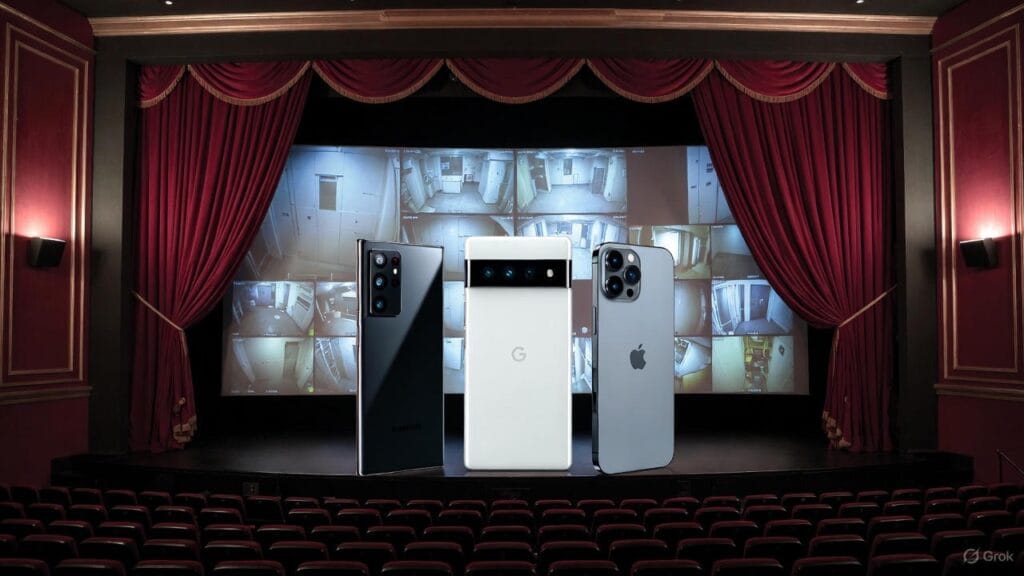
Our computers and devices are like extensions of ourselves. We use them for work, banking, socialising, and our personal documents and conversations. But what if your computer was secretly watching everything you do, sending that information to Big Tech without your full knowledge? That’s the reality for many people using Windows, especially its latest version – Windows 11 – a stray away from having a privacy PC.
If you’re worried about your privacy, it’s time to think about switching to a ‘Linux’. Privacy PC Linux is an open-source Operating System (OS) that puts you in control, without the built-in spying that plagues Windows. And for those nervous about the change, Linux distributions like Zorin OS, used with our Privacy Laptops, make the transition super smooth and easy – even if you’re not tech-savvy.
In this article we’ll look at why Windows 11 is a privacy problem, what happens now that Windows 10 is no longer supported, why Linux stands out as the top choice for keeping your data safe, and options to help make this an easy switch.
⚠️ The Privacy PC Nightmare of Windows 11
Windows 11 isn’t just an update – it’s a step deeper into a world where your peronal computer reports back to Big Tech on your private affairs. Windows 11 promised better performance and a fresh look, but under the hood, it’s packed with features that collect massive amounts of private data about you. This isn’t some conspiracy; it’s backed by experts, researchers, and even former Microsoft insiders.
One of the biggest issues is “telemetry”, a fancy word for “tracking what you are doing”.
Windows 11 sends data back to its servers on what apps you use, how + when you use them, even your hardware details. A Trinity College Dublin study found even idle Windows devices ping Microsoft servers dozens of times an hour. This includes your location, search history, and app behavior. Windows 11 is seen as many as a “surveillance tool” with its built-in AI (‘Copilot’). This includes features like ‘Recall’ that takes screenshots of your screen every few seconds. Recall was meant to “help you remember” what you’ve done on your PC. But it raised huge alarms as those screenshots could include sensitive info like bank details, private messages, even your letters to Santa. Even though Microsoft paused it due to backlash, the fact it was built-in shows their focus and priorities.
Then there’s the Trusted Platform Module (TPM) chip, required for Windows 11. It is the “hidden spy” unique key burned into it at the factory, and tied to your Microsoft account. This means Microsoft can link your device’s actions directly to you. It routes security operations through their cloud, potentially letting them monitor things like encryption keys or even remote attestation (where apps check if your system is “approved” by Microsoft). If you change hardware, like swapping a drive, it can lock you out or wipe partitions, including Linux ones if you’re dual-booting. Privacy advocates like the Electronic Frontier Foundation (EFF) have criticised this as a way for companies to control what you run on your own hardware.
Ads and bloatware add to the mess. Windows 11 pushes Microsoft services like OneDrive and Edge browser aggressively, often nagging you to sign in or subscribe. Users report full-screen ads for Microsoft 365 popping up, blocking your desktop until you respond. And with AI features like Copilot embedded everywhere, your activities feed into Microsoft’s data machine. A 2025 report from the Australian Communications and Media Authority (ACMA) highlights rising identity theft cases linked to exposed data from OS tracking.
Users also report Windows 11 feels “slow and draggy” due to this constant background activity that also drains your battery more rapidly.
⏰ Windows 10: The End of an Era and Rising Risks
If Windows 11 sounds bad, sticking with Windows 10 is basically paddling up “sheep creek”. Microsoft ended free support for Windows 10 on October 14, 2025. This has led to over 240 million incompatible PCs worldwide (millions in Australia) now lack security updates, exposing them to ransomware, zero-days, and identity theft. No more automatic security updates, bug fixes, or technical help from Microsoft.
The dangers? Hackers love unpatched vulnerabilities.. and with no more free updates your system becomes a target. But even worse, Microsoft complies with government requests for data – thousands per year, according to their transparency reports. If you’re a journalist, activist, or just someone who values privacy, this is a massive red flag.
The risks are real. Without patches, new vulnerabilities – holes that hackers can exploit. A Verizon report from 2025 says 82% of breaches involve phishing or stolen credentials, often through unpatched systems.
It’s like driving your 1978 Ford Falcon XC Cobra without insurance – risky. The 3 biggest risks we consider are the security holes leading to malware, performance drops from incompatible software, and no fixes for bugs. Businesses, especially, should be aware of rising ransomware attacks on these now unsupported systems.
In short, Windows 10’s users are backed against the wall with a simple choice: upgrade to privacy-invading Windows 11 or find something better.
🏆 Why Linux is the Privacy Champion
Enter Linux. A free, open-source OS that’s been around since 1991, powering everything from servers to smartphones to the International Space Station. Unlike Windows, Linux isn’t controlled by one company chasing profits through personal data. Its code is public – meaning anyone can inspect it for backdoors or spyware. Linux’s open-source nature invites constant scrutiny, unlike Windows’ “security through obscurity”. This transparency means vulnerabilities get fixed fast by a global community. Think whenever you seek “privacy” that “open source” is preferred as it prevents hidden tracking and ensures community-driven security.
For privacy, there’s no built-in telemetry (data collection/tracking) sending your data to servers – you have full control over every aspect of your device. Stricter user privileges mean malware can’t easily take over your system. No antivirus needed due to fewer exploits.
Linux runs lighter with no bloatware, ads or forced updates slowing you down.
💡 Zorin OS: Your Easy Switch from Windows to Linux
Switching OSes sounds scary, right? That’s where we come in.
Our Privacy Laptops are powered by Zorin OS Pro. Designed for Windows/MacOS users, Zorin OS looks and feels like Windows out of the box, making the jump painless.
Zorin OS is based on Ubuntu, a stable Linux flavour, but with a twist: its “Appearance” tool lets you choose layouts mimicking Windows 10, 11, or even macOS! Many online experts in the community consider it as “the BEST Linux switch from Windows.” Its lightweight, extremely customisable, UI friendly, has a large active community, and is privacy-focused so no tracking!

We choose ZorinOS Pro for all our Privacy Laptops as it’s user-friendly, affordable, private + secure – no Microsoft spying, just control given back to the owner/user.
Conclusion
If true privacy matters to you, ditching Windows for Linux isn’t just smart – it’s essential. Windows 11’s telemetry, AI spying, and TPM controls turn your PC into a personal data goldmine, while Windows 10’s end-of-support leaves you vulnerable to hacks.
Linux flips the script. It’s secure, private, and free from Big Tech spying.
For the average user looking to switch, our Privacy Laptops are the perfect choice. It makes it easy with a Windows-like interface, excellent performance, with privacy + security at its core.
No more nagging ads, no hidden trackers – just a clean, fast computing experience that respects you.