



































































































Reclaim Your Digital Freedom in 2026

We help you escape the invasive collection of your personal data

Start for Free with our Privacy Hub:

What We Offer

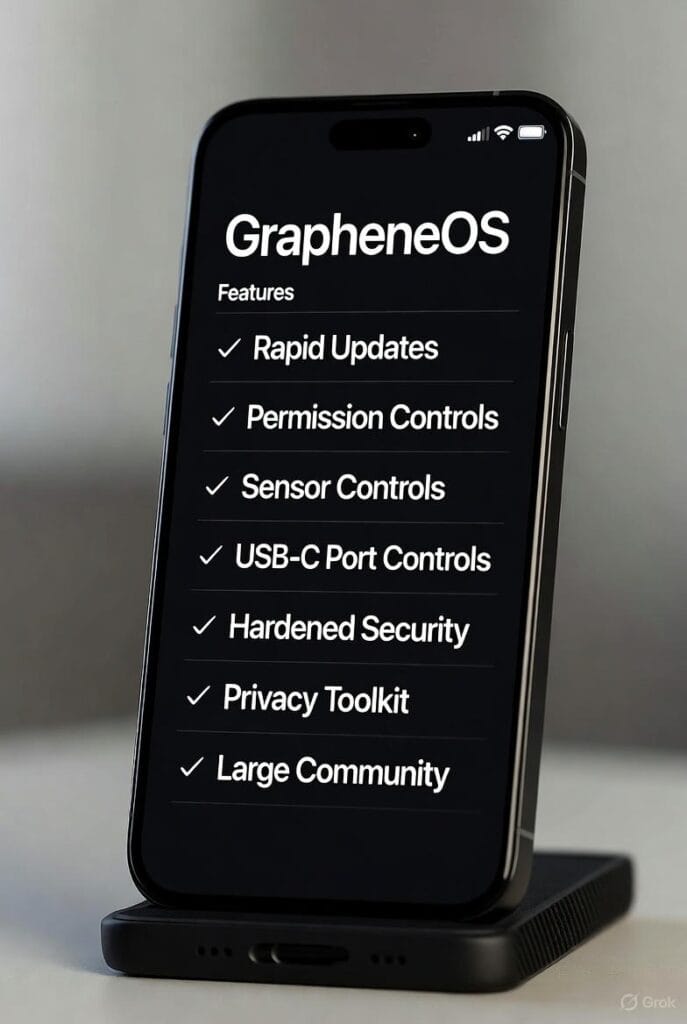
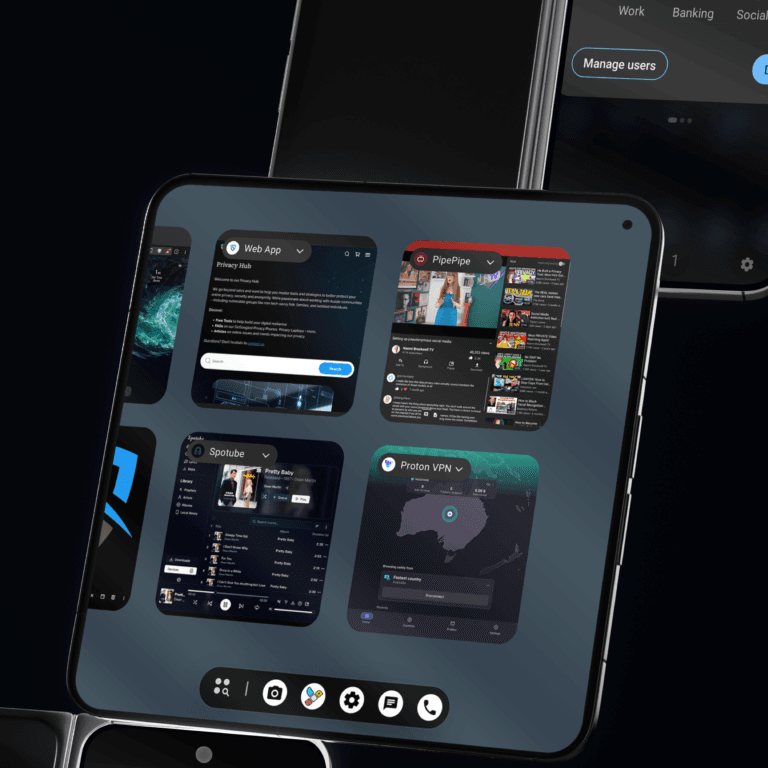
Our Privacy Phones use the most secure and private phone OS available in 2026. ‘De-Googled’ with GrapheneOS; there’s no tracking & you’ll have anonymous apps without Google/Apple accounts. Reclaim digital freedom. 

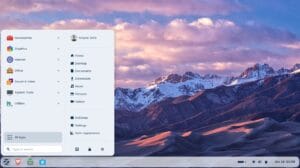
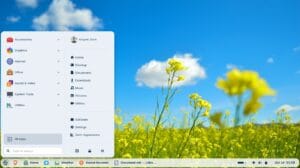
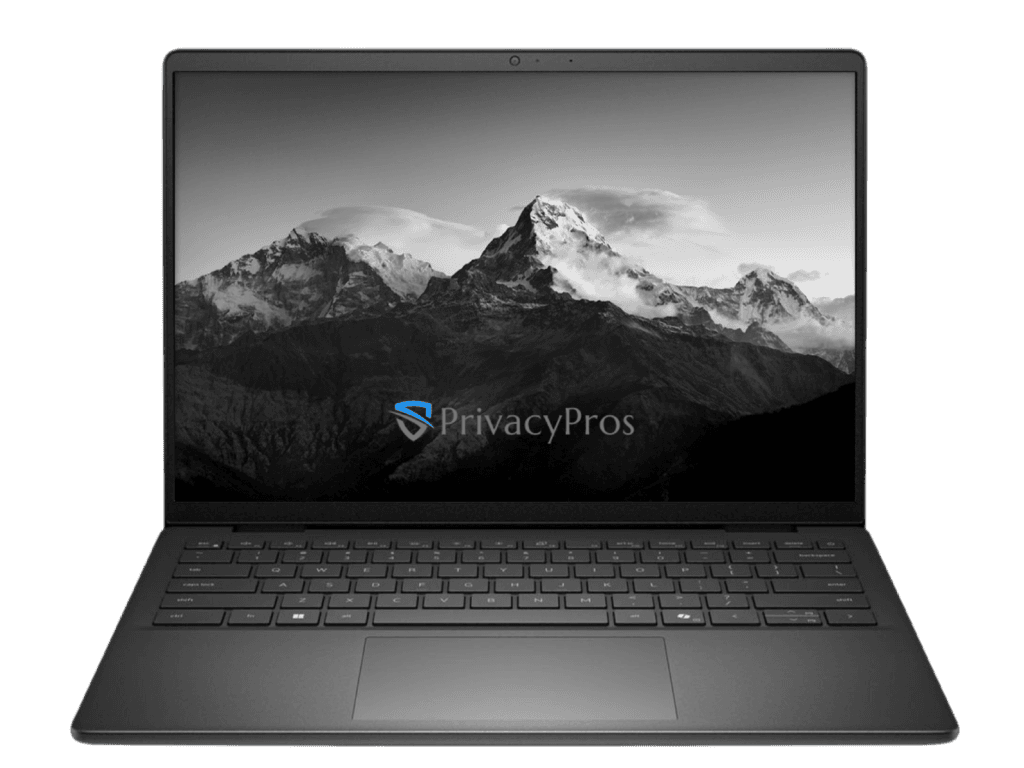
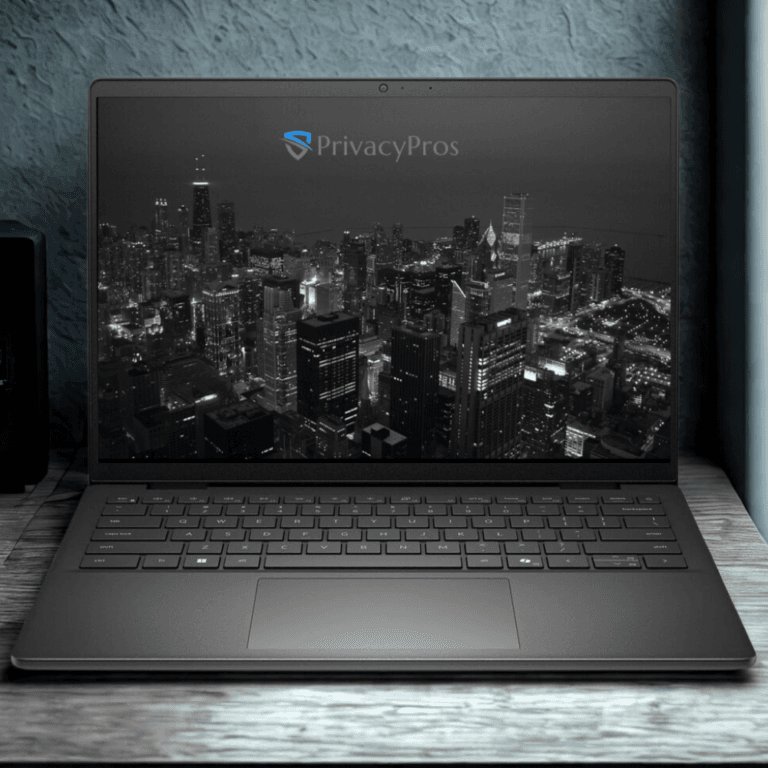
Our Privacy Laptops are secure, user-friendly & affordable. Linux-based but looks like Windows (Classic, 10, 11) or MacOS. Privacy-respecting, no bloat, pre-loaded with vetted apps. Ditch the Windows privacy risks. 

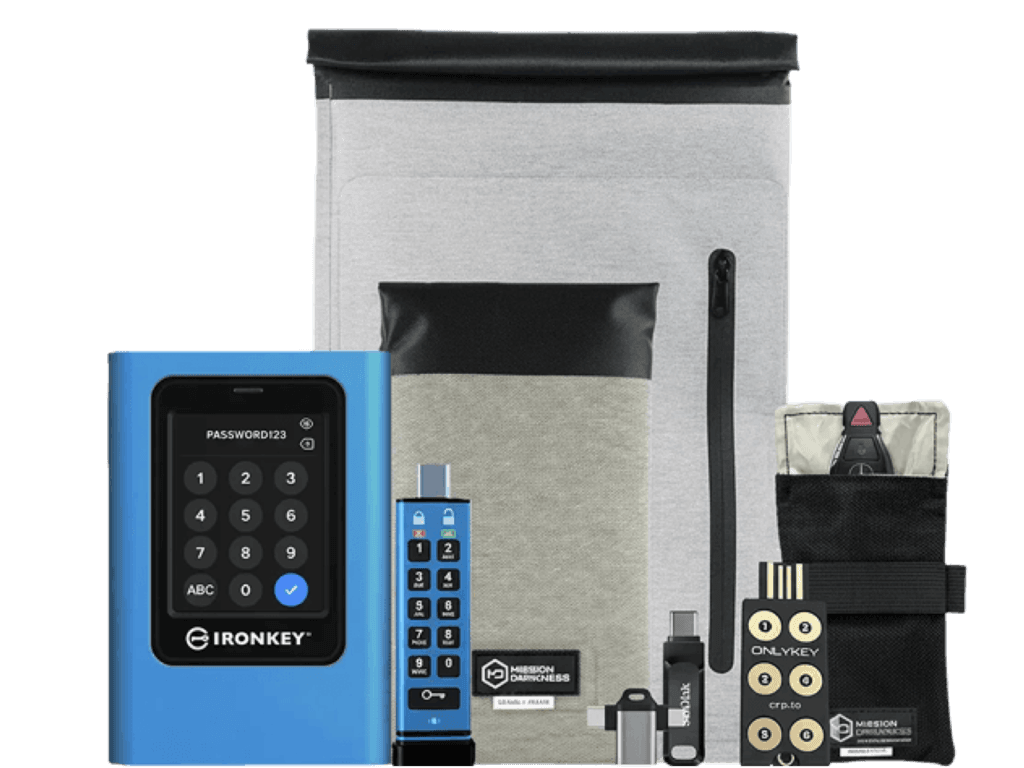
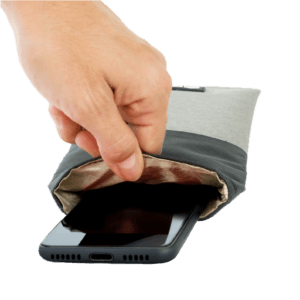
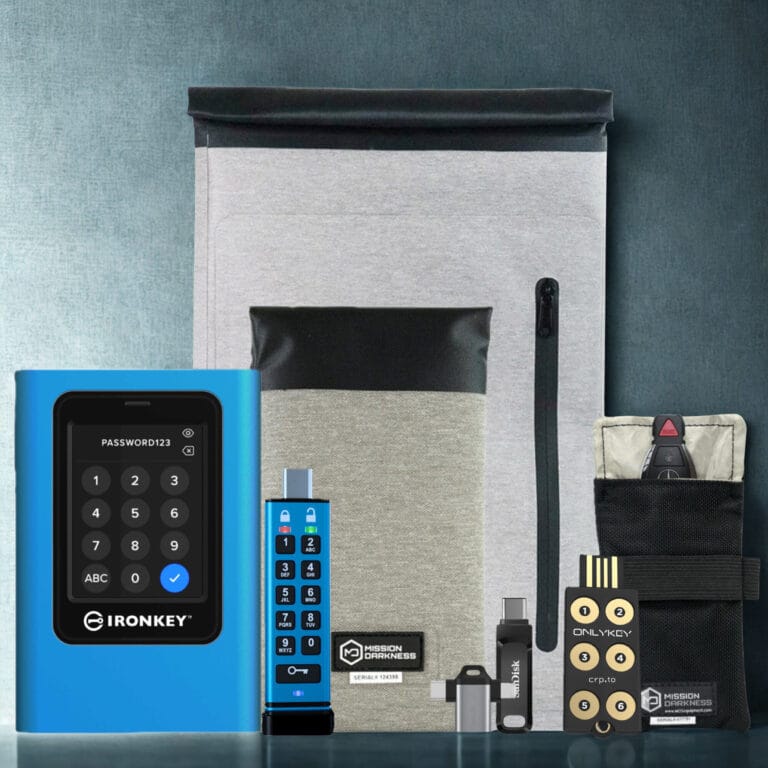
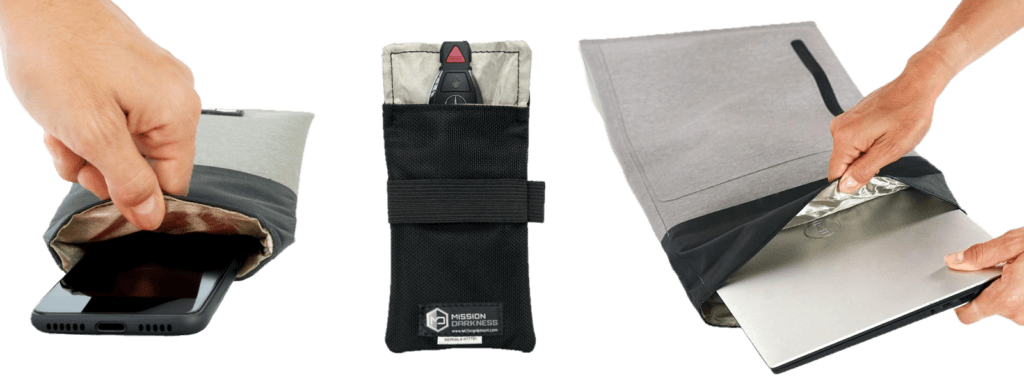
Protection on-the-go with premium Faraday (block signals) for your phone, laptop, keys, other items.  Secure storagehardware encryption & PIN protected access devices. Plus other useful accessories.

Digital Footprint Audits

We scan your online footprint for vulnerabilities like leaks or shadow profiles - delivering a custom report to help erase risks & comply with AU Privacy Principles.

Consulting Services

We provide end-to-end privacy and security solutions for individuals, families, and professionals with actionable, AU-compliant advice to build resilience.

Community Engagement

We provide community info sessions & workshops on privacy, security & anonymity. We are not transaction-only sellers - we build digital resilience in our communities.

Privacy Hub

Discover our Free Tools for stronger privacy, security & anonymity; FAQs for answers & guides to common queries; Articles for insights & perspectives to current trends.

Popular Products

From: $1,990.00

Did you know?

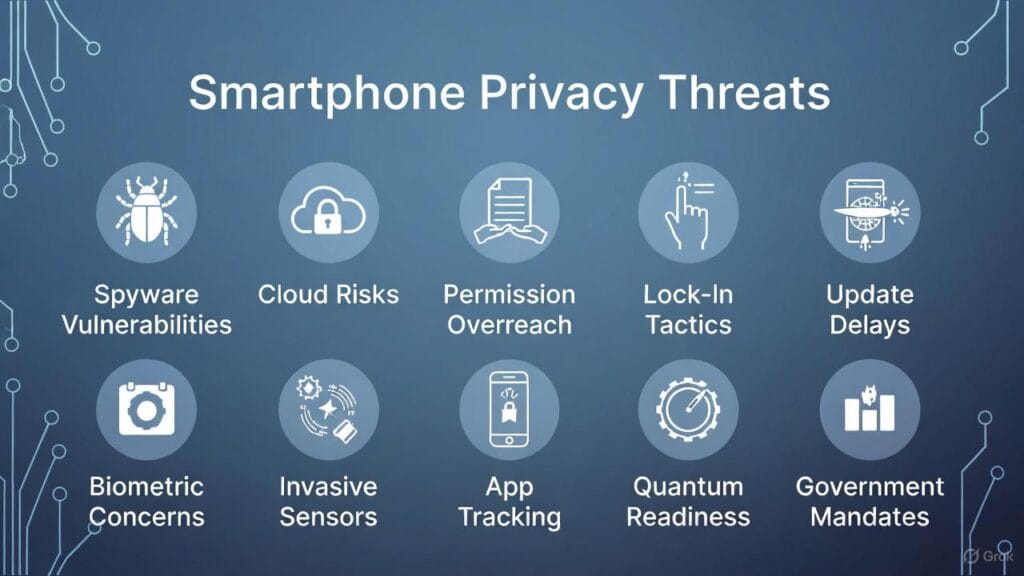
By age 13, ad companies amass an estimated 72 million data points on the average child – logging every app swipe, location ping, and habit for hyper-targeted ads and invasive profiles. In Australia, so called “kids-safe” apps can dodge regulations to scoop up personal info, triggering sharp alerts from the eSafety Commissioner about privacy invasions and online harms.

Stock Android phones beam Google servers up to 90 times an hour – even sitting idle – scooping up your location, chats, and daily habits to power a $450+ billion big data market in 2025. This sneaky tracking turns your smartphone into a silent spy, often dodging consent for privacy breaches. Our Privacy Phones – zero leaks, anonymous apps, your data belongs to you.

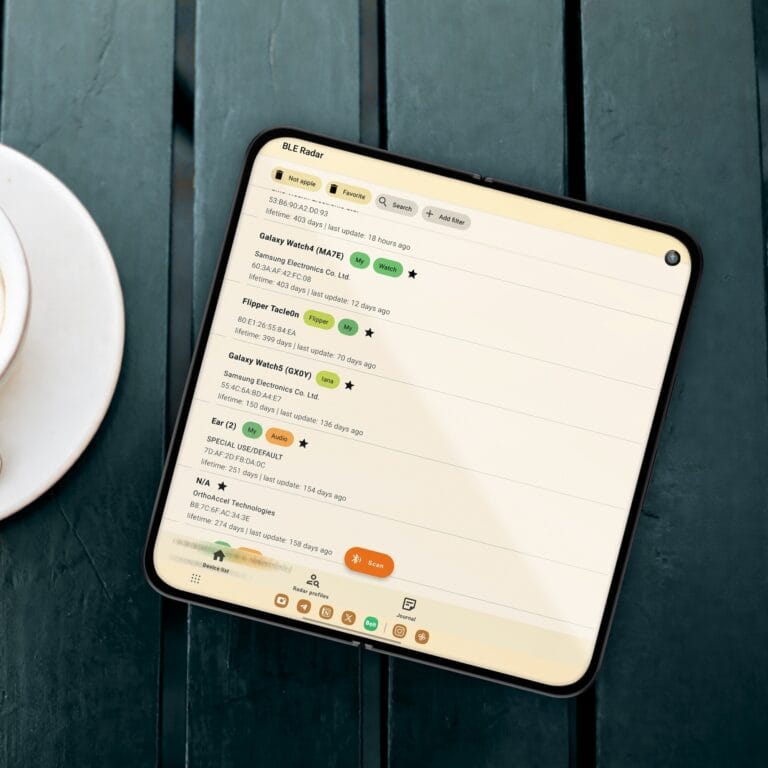
Your phone’s built-in sensors: mics, motion trackers, balance detectors – can spy on you even when “off”! Capturing typing patterns, walking style + whispers for accurate profiles. Some apps exploit this for hidden tracking, alarming eSafety watchdogs as biometric hacks rise. 99% accuracy spotting you by gait? Voiceprints predicting your stress? It’s not sci-fi anymore.

Our experts invest 4-7+ hours configuring each Privacy Phone, applying a 100+ point hardening framework to eliminate data leaks, fortify app permissions, enhance exploit defences, and deploy vetted open-source apps. These devices slash telemetry up to 99% for near-zero tracking. Skip basic setups and DIY hassles – get a plug-and-play privacy fortress!

Privacy Hub

Learn how to better protect your personal data, secure your devices and build digital resilience

Welcome to our Free Tools.

Discover our curated selection of free tools to enhance your online privacy, security and anonymity. Each category gives vetted alts to mainstream apps. Our Criteria prioritises free & open-source tools. This content is for educational & ethical purposes only.

Browsing and Searching

Web Browsers

Web browsers serve as your primary interface to the internet. Invasive tracking, fingerprinting, and data collection by advertisers and third parties pose major risks to your privacy and security. Opting for privacy-focused browsers helps minimise these threats. They can incorporate built-in protections against trackers, enhance isolation of site data, and provide resistance to unique device identification.

  • Tor

    Browser for maximum anonymity that routes all traffic through the Tor network to encrypt connections and obscure your IP. It excels in stream isolation, tracking prevention, and cross-session data partitioning; ideal for high-threat scenarios like evading censorship or surveillance. Runs slow due to onion routing and not suited for everyday use; best where high anonymity is required.

  • Brave

    A Chromium-based browser with out-of-the-box ad/tracker blocking, fingerprinting resistance, and HTTPS enforcement, using its own independent search engine to avoid data leaks. Privacy-focused without built-in ads or telemetry; Open-source (except some proprietary features); recommended for balanced privacy and convenience.

  • Mullvad Browser

    Co-developed by Mullvad VPN and the Tor Project, this Firefox fork mirrors Tor Browser’s privacy hardening (e.g., anti-fingerprinting, no telemetry) without the Tor network, allowing faster browsing when paired with a VPN. It priorities security audits, open-source code, and features like enhanced tracking protection. Suitable for users seeking Tor-level privacy without speed trade-offs.

  • LibreWolf

    A hardened Firefox fork with telemetry, tracking, and pocket integrations removed, focusing on privacy enhancements like default uBlock Origin integration and anti-fingerprinting tweaks. It maintains Firefox’s security updates while offering cross-platform support, making it a strong alternative for users avoiding Chromium’s monopoly.

Search Engines

Search engines track your queries, IP, and device info to build profiles for ads and spying, exposing habits and locations. Privacy options anonymize searches, strip personal data, and skip customisation to cut breach risks. We picked free tiers favoring open-source, independent audits, no logs, minimal collection, no trackers, cross-device ease, and active support. Use via browser settings or apps; pair with VPNs for better privacy.

  • Startpage

    A proprietary metasearch engine proxying Google/Bing results anonymously, removing IP tracking and personalisation while blocking price trackers. EU-based with strict privacy standards, it earns revenue from non-targeted ads; ideal for familiar results without surveillance. Open to Tor users; rated highly for no logging in audits, though owned by ad firm System1.

  • SearXNG

    Open-source, self-hostable metasearch aggregating from multiple engines without tracking or ads, supporting custom instances for full control. Excels in decentralisation and query privacy; great for tech-savvy users avoiding central servers. Community-driven with strong praise for flexibility, though public instances vary in trust.

  • Brave Search

    Independent index-based engine with no PII collection, aggregating metrics anonymously; supports ad-free premium for enhanced privacy. Fast, with anti-censorship features and AI summaries; praised for result quality over DuckDuckGo in 2025 reviews. Open-source elements; ideal for Brave Browser users

  • DuckDuckGo

    Proprietary metasearch using Bing and others, with no IP logging or tracking; includes AI chat and tracker blocking extensions. User-friendly; widely adopted for privacy, though some criticise ad inclusion and minor censorship. Strong on mobile; 2025 updates enhance anti-tracking.

Browser Extensions

Browser extensions boost your web browser's privacy by blocking ads, trackers, and fingerprinting tricks, while rerouting traffic to safer options. They stop data grabs during daily surfing. We chose open-source picks audited for security, with minimal data collection, no trackers, easy setup, and active communities. Install from your browser's store (e.g., Firefox Add-ons or Chrome Web Store).

  • uBlock Origin

    Efficient ad and tracker blocker that uses low resources. Blocks invasive content by default, supports custom filters, and has undergone independent audits – no telemetry. Compatible with Firefox, Chrome, Edge; ideal for beginners. (Open-source, free)

  • LibRedirect

    Redirects links from sites like YouTube, Twitter, and Google Maps to privacy-focused alternatives (e.g., Invidious, Nitter). Hides your IP and prevents direct tracking by Big Tech; actively maintained with community input. Works on major browsers; great for seamless privacy upgrades. (Open-source, free)

  • LocalCDN

    Decentralises content delivery by emulating CDNs locally. Reduces reliance on third-party servers that track users; audited code with no data collection. Enhances speed and privacy on Firefox/Chrome. (Open-source, free)

  • ClearURLs

    Automatically strips tracking elements from URLs. Prevents hidden data leaks in links; lightweight, no permissions needed, and compliant with data minimisation. Compatible with most browsers. (Open-source, free)

Basic Security

VPNs

VPNs encrypt your online traffic, hide your IP address, and shield against ISP spying, unsafe public Wi-Fi, and geo-blocks - crucial for evading data retention laws and boosting anonymity. We selected options with no-logs policies, strong encryption, free tiers, open-source code (where possible), independent audits, minimal data collection, cross-device ease, and active maintenance. Download from official sites or app stores; use cautiously in high-risk scenarios.

  • Proton VPN

    Swiss-based service with a robust free tier. Audited by third parties, strict no-logs policy, E2EE, and integrated with Tor for extra anonymity; no ads or trackers. Compatible with Android, iOS, Windows, macOS, Linux; user-friendly for those seeking everyday privacy. (Open-source, free tier)

  • Mullvad VPN

    Privacy-focused VPN with anonymous account creation (no email needed). Audited open-source code, no logs or personal data collection, WireGuard protocol for speed/security, and flat pricing model. Works on most platforms. (Open-source, paid but free trial via vouchers)

  • Orbot

    Tor-powered proxy app for Android, functioning as a VPN for anonymity. Fully open-source, leverages Tor network for onion routing without central servers, no data logging, and community-driven; blocks trackers by default. Android-only. (Open-source, free)

  • Windscribe

    Versatile VPN with a generous free plan (up to 10GB/month). Audited for security, no identifying logs, built-in ad/tracker blocker, and customisable plans; supports split-tunnelling for usability. Multi-platform (Android, iOS, desktop); accessible for beginners with AU servers for low latency. (Partial open-source, free tier)

Password Managers

Password managers create, save, and auto-fill strong, unique passwords to protect against hacks, scams, and reuse dangers - crucial for dodging data tracking and boosting online anonymity. We selected options with zero-knowledge encryption, free tiers, open-source focus (where possible), independent audits, minimal data collection, no trackers, easy interfaces, and strong communities. Pick cloud-sync for convenience or local storage for offline security. Pair with 2FA and routine checks for best results.

  • Proton Pass

    Swiss-based manager with unlimited free tier and integrated email aliases. Open-source, audited by Cure53, end-to-end encryption, zero-knowledge architecture, built-in 2FA; no logs or ads. Supports Android, iOS, Windows, macOS, Linux, browsers; ideal for seamless multi-device privacy. (Open-source, free tier)

  • Bitwarden

    Versatile cloud vault with self-hosting via Vaultwarden. Open-source, zero-knowledge E2EE, bug bounty program; minimal data collection. Multi-platform – Android, iOS, desktop, browsers. (Open-source, free tier)

  • KeePassXC

    Offline-focused client for secure vault management. Open-source, audited in 2023, industry-standard encryption, no automatic sync; avoids cloud risks. Compatible with Windows, macOS, Linux; customisable for high-privacy users. (Open-source, free)

  • KeePassDX

    Android-specific KeePass variant with modern interface. Open-source, strong encryption, database compatibility; no data sharing. Android-only (F-Droid/Google Play); lightweight for mobile offline storage. (Open-source, free)

  • Proton Pass Password Generator

    Creates strong, customisable passwords. Free, open-source apps, audited; no tracking. Web-based; seamless for AU users in Proton ecosystem. (Open-source, free)

Two-Factor Authentication (2FA)

2FA adds an extra check beyond passwords—like app-generated codes, hardware keys, or biometrics—to block unauthorized access and stop breaches, essential for cutting data risks under Australia's Privacy Act. We picked free or solid free-tier options prioritizing open-source code, audited security, zero-knowledge (where it fits), no trackers, cross-platform ease, and active updates. Choose software apps for convenience or hardware (e.g., OnlyKey) for stronger physical protection.

  • Proton Authenticator

    Integrated 2FA within Proton’s password manager, with unlimited free tier. Open-source, audited by Cure53, end-to-end encryption, secure sharing; no logs. Supports Android, iOS, desktop, browsers; seamless for Proton ecosystem users. (Open-source, free tier)

  • Ente Auth

    Dedicated authenticator app with encrypted backups. Open-source, independent audits, E2EE cloud sync option, no data collection; exportable vaults. Multi-platform – Android, iOS, desktop. (Open-source, free)

  • Aegis

    Android-focused TOTP generator with vault encryption. Open-source, audited code, local storage, icon packs for usability; no internet needed. Android-only (F-Droid); lightweight for secure, offline 2FA on mobile devices. (Open-source, free)

Advanced Security

Online Security

Online security tools scan for malware, detect data breaches, and check your systems to block hacks and leaks - key for meeting Australia's Privacy Act by beefing up defenses against cyber threats. We chose free tiers favoring open-source code, independent audits, local processing with minimal data collection, no trackers, cross-platform ease, active communities, and AU compliance. Run regular scans; pair with VPNs and firewalls for solid protection. Download from official sites, F-Droid, or repos.

  • Have I Been Pwned

    Breach notification service checking emails/phones against known data leaks. Open-source API, no search logging, community-reviewed; optional alerts. Web-based with app integrations; vital for Aussies tracking their exposure risks. (Partial open-source, free)

  • Proton Pass Breach Observatory

    Scans for exposed credentials in breaches. Free tier, open-source apps, audited; proactive alerts. Web-based; critical for AU data protection. (Open-source, free tier)

  • ClamAV

    Multi-platform antivirus for detecting viruses, trojans, and malware in files/emails. Fully open-source, audited by firms like Cisco Talos, offline scanning; frequent signature updates. Supports Windows, macOS, Linux. (Open-source, free)

  • Lynis

    System auditing tool for vulnerability assessments and hardening advice. Open-source, independent audits, no external data sharing; detailed reports. Unix-based – Linux, macOS. (Open-source, free)

  • Hypatia

    Android malware analyzer using real-time scanning. Open-source, local processing, integrates ClamAV database; no permissions beyond storage. Android-only – F-Droid. (Open-source, free)

  • VirusTotal

    Scans URLs, files, IPs, and domains with 70+ engines. Free (limited), Google-owned but audited, shares hashes for analysis; detects malware without local install. Web-based/multi-platform; versatile for AU threat hunting. (Closed-source, free tier)

  • URLScan.io

    Analyses websites for threats, scripts, and behaviours. Free/public scans, audited via community, no personal data required; reveals hidden risks. Web-based; strong for proactive privacy in AU. (Partial open-source, free)

Fingerprint Protection

Fingerprint protection tools spot and block unique device or browser "signatures" that track you without cookies, helping dodge ongoing spying and comply with data laws by scrambling your online ID. We selected free testers and blockers favoring open-source, independent reviews, no data sharing, easy browser use, and regular updates. Great for checking and tweaking your setup; mix with VPNs and extensions.

  • Amiunique

    Visualises your browser fingerprint to show uniqueness among millions. Open-source, research-backed by INRIA, no data storage; educational tool. Web-based. (Open-source, free)

  • Cover Your Tracks

    Tests browser for tracking resistance, ad blockers, and fingerprinting. Open-source from the Electronic Frontier Foundation, audited via community, no logs; provides actionable advice. Web-based. (Open-source, free)

  • BrowserLeaks

    Detailed leak tester for IP, WebRTC, fonts, hardware, and more. Closed-source but privacy-focused, no retention; comprehensive diagnostics. Web-based; useful for identifying vulnerabilities in networks. (Closed-source, free)

Secure Deletion

Secure deletion tools wipe data for good, clear temp files, and clean docs to stop recovery or malware hanging around - key for privacy under Australia's Privacy Act by erasing traces that could lead to breaches or tracking. We chose free options favoring open-source (where possible), audited security, local processing, no trackers, cross-platform ease, active support, and AU compliance. Ideal for routine cleanups; pair with backups to avoid accidental loss. Download from official sites or repos.

  • BleachBit

    System cleaner that deletes cache, cookies, history, and junk from over 90 applications. Open-source, community-audited, shreds files and wipes free space; no data collection. Multi-platform – Windows, Linux. (Open-source, free)

  • Dangerzone

    Converts risky PDFs, docs, and images into safe PDFs by sandboxing and rebuilding. Open-source, maintained by Freedom of the Press Foundation, no network access during process; audited via community. Multi-platform – Windows, macOS, Linux. (Open-source, free)

  • CCleaner (Free Tier)

    Wipes browser data, registry errors, and unused files with privacy scanner. Closed-source but audited for security, customisable cleaning; minimal logging in free version. Multi-platform (Windows, macOS, Android); suitable for basic maintenance despite proprietary nature. (Closed-source, free tier)

Metadata Removal

Metadata removal tools wipe hidden info (like GPS locations, device info, or timestamps) from files such as photos, PDFs, and docs to stop leaks or tracking. We chose free versions favoring open-source code, independent audits, zero data collection, no trackers, multi-platform ease, and ongoing updates. Perfect for sensitive shares; handle files locally to skip cloud risks. Download from official sites, F-Droid, or repos.

  • mat2

    Lightweight library and CLI tool for anonymising metadata in images, audio, torrents, and documents. Open-source, community-audited, supports over 20 formats with verifiable builds; no telemetry. Compatible with Linux, macOS, Windows via extensions; ideal for batch processing. (Open-source, free)

  • ExifTool

    Versatile Perl-based tool for reading, writing, and removing metadata from multimedia files. Open-source, extensively reviewed, handles EXIF, IPTC, XMP; scriptable for automation. Multi-platform – Windows, macOS, Linux. (Open-source, free)

  • ExifCleaner

    GUI app for dragging and dropping files to erase EXIF data from images, videos, and PDFs. Open-source, audited code, batch processing with preview; no internet required. Supports Windows, macOS, Linux; user-friendly for everyday metadata stripping. (Open-source, free)

  • Online EXIF Viewer

    Uploads and displays image metadata like GPS, camera details. Free, closed-source, processes locally in browser; educates on leaks. Web-based; quick checks for Aussies sharing photos. (Closed-source, free)

Encryption

Encryption tools lock your files, drives, and data with secure codes to block unauthorised access, leaks, or spying - vital for shielding against data retention laws or breaches. We picked free options with open-source code (where available), independent audits, minimal data collection, no trackers, cross-device compatibility, and reliable support. Ideal for sensitive info; download from official sites, pair with backups, and use strong passphrases.

  • VeraCrypt

    Cross-platform disk encryption for creating encrypted volumes or full drives. Open-source fork of TrueCrypt, audited by Quarkslab, supports hidden volumes and plausible deniability; no data collection. Compatible with Windows, macOS, Linux; suitable for high-security AU users. (Open-source, free)

  • Cryptomator

    Cloud-focused file encryption for secure storage on Dropbox, Google Drive, etc. Open-source, audited by Cure53, client-side zero-knowledge encryption; transparent and user-friendly. Multi-platform – Android, iOS, desktop. (Open-source, free)

  • Picocrypt

    Lightweight tool for encrypting individual files or folders. Open-source, audited code, no telemetry. Works on Windows, macOS, Linux; simple for everyday file protection without complexity. (Open-source, free)

DNS

DNS tools convert website names to IP addresses while encrypting queries to hide your browsing, block trackers, malware, and ads - essential for evading ISP spying under data retention laws. We chose options with no-logs policies, TLS/HTTPS encryption, free tiers, open-source code (where available), independent audits, minimal data collection, cross-device ease, active updates, and local fit. Setup via system settings, routers, or apps; pair with VPNs for extra protection.

  • NextDNS

    Customisable DNS resolver with a generous free tier (300K queries/month). Open-source client apps, audited security, no logs, advanced blocking for ads/trackers/malware, and analytics dashboard; supports DoH/DoT. Multi-platform – Android, iOS, desktop, routers. (Partial open-source, free tier)

  • Quad9

    Nonprofit DNS service focused on security and privacy. Open-source elements, independently audited, no user data logging, malware/phishing blocking via threat intelligence; uses DoH/DoT. Works on any device/OS. (Partial open-source, free)

  • AdGuard DNS

    Ad and tracker-blocking DNS with family protection options. No logging, audited for security, supports DoH/DoT/DoQ, customisable filters for content control; free public servers available. Cross-platform support. (Partial open-source, free)

Communication and Social Tools

Email + Email Aliases

Secure email services encrypt messages, reduce hidden data, and guard against ISP or government spying - eessential for data retention laws and keeping info private. Aliases provide throwaway addresses to skip spam, tracking, and account linking. We selected free-tier options prioritising open-source code, independent audits, end-to-end encryption, no-logs policies, no trackers, cross-platform apps, active updates, and strong privacy countries. Sign up via official sites or apps; combine with password managers and 2FA for better protection.

  • Proton Mail

    Swiss-based encrypted email with built-in aliases via Proton Pass. Open-source apps, audited by Securitum/SOC 2, zero-access E2EE for emails/calendars, WKD for external PGP; unlimited aliases/replies on paid plans (free tier: 500MB storage, limited aliases). Multi-platform (Android, iOS, desktop, web); ideal for everyday use with seamless ecosystem integration. (Open-source, free tier).

  • Tuta

    German-based zero-access email with unlimited aliases/catch-all on custom domains. Open-source, audited code, proprietary E2EE for emails/contacts/calendars, no IMAP/SMTP; free tier with 1GB storage. Multi-platform (Android, iOS, desktop, web); strong for metadata protection without external sending compatibility. (Open-source, free tier)

  • Mailbox.org

    Eco-friendly German email with custom domains, catch-all aliases, and PGP integration. Partial open-source, audited infrastructure, zero-access for incoming mail, WKD support; no free tier but affordable plans with 2GB storage. Multi-platform – web, IMAP/SMTP apps. (Partial open-source, paid)

  • SimpleLogin

    Alias-forwarding service with unlimited replies and PGP on paid plans. Open-source, audited by Securitum, forwards to any inbox (Proton integration); free tier with 10 aliases. Multi-platform (Android, iOS, browser extensions); excellent for spam reduction and anonymity. (Open-source, free tier)

  • Addy.io

    Anonymous alias generator with PGP encryption and custom domains. Open-source, audited by Securitum, unlimited standard aliases on free tier (limited shared); cryptocurrency payments. Multi-platform (browser extensions, API); flexible for high-privacy setups avoiding PII. (Open-source, free tier)

  • 10 Min Email

    Temporary disposable email service for instant, anonymous addresses that self-destruct after 10 minutes (extendable). Closed-source but no registration, no data retention (IP/personal info deleted with mailbox), no logging beyond temporary inbox; supports attachments and browser extensions. (Closed-source, free)

  • Email Header Analyzer (DNSChecker)

    Traces email paths, IPs, and authentication (SPF/DKIM). Free, no open-source, no data retention mentioned; detects spoofing for security. Web-based; aids AU users in scam prevention. (Closed-source, free)

Messengers

Messengers offer end-to-end encrypted chats, voice, and video calls for private talks, guarding against eavesdropping and data retention. We selected apps prioritizing open-source code, independent audits, no phone number required (where possible), minimal logging, no trackers, cross-platform support, and active communities. Choose decentralized options; install from official sites, F-Droid, or app stores.

  • Molly

    Hardened Signal fork with added security like database locking. Open-source, builds on Signal’s audits, PIN protection, no Google dependencies; phone number optional in some modes. Android-only – F-Droid. (Open-source, free)

  • Session

    Decentralised messenger using onion routing for anonymous chats without phone numbers or central servers. Open-source, audited infrastructure, no metadata exposure, blockchain-based for resilience; supports groups and voice notes. Multi-platform – Android, iOS, desktop. (Open-source, free)

  • SimpleX

    Decentralised messenger without user IDs or servers. Open-source, audited code, quantum-resistant E2EE, anonymous queues; no metadata leaks. Supports Android, iOS, desktop. (Open-source, free)

  • Wire

    Collaborative platform with E2EE for personal and team use. Open-source client, audited by Cure53, guest access, self-hosting options; optional phone/email. Multi-platform (Android, iOS, desktop, web); versatile for secure group communication. (Open-source, free tier)

  • Jitsi Meet

    Open-source video conferencing for secure calls without accounts. Fully open-source, audited infrastructure, E2EE meetings, self-hostable; no data retention. Web-based with apps (Android, iOS); simple for ad-hoc private video. (Open-source, free)

Social Networks

Social networks enable community chats, content sharing, and discussions with a focus on decentralized, federated systems to avoid central data collection and censorship. They're ideal for countering data retention and putting users in charge. We chose federated platforms offering free access, open-source code, independent audits (where available), minimal metadata leaks, no ads/trackers, cross-platform support, and active communities. Join instances through web or apps; self-host for total control.

  • Mastodon

    Decentralised microblogging platform using ActivityPub for federated timelines and communities. Open-source, audited by community, no central data collection or algorithms; supports custom servers. Multi-platform (Android, iOS, desktop, web); ideal for Twitter-like privacy without tracking. (Open-source, free)

  • Nostr

    Protocol-based network for censorship-resistant notes and relays, emphasising user-owned keys and no central servers. Open-source, peer-reviewed, zero metadata logging; clients like Amethyst/Damus enable private feeds. Multi-platform via various clients; suited for high-anonymity social sharing. (Open-source, free)

  • Pixelfed

    Image-sharing network federated via ActivityPub, alternative to Instagram with chronological feeds. Open-source, no audits noted but transparent code, minimal data policies; supports stories and tags. Multi-platform – Android, iOS, web. (Open-source, free).

  • Lemmy

    Aggregator for forums and links, federated like Reddit with community moderation. Open-source, community-reviewed, no central logging; vote-based content. Multi-platform – web, apps. (Open-source, free)

Productivity and Creation

Notes, Docs, and Photos

Privacy tools for notes, docs, and photos allow secure creation, editing, and storage with end-to-end encryption, reducing hidden data leaks and outsider access - essential for Australia's Privacy Act and evading Big Tech spying. We selected open-source options with audits, zero-knowledge designs, no trackers, cross-device support, active communities, and free tiers. Go self-hosted for max control; sync encrypted. Install from F-Droid, app stores, or official sites.

  • Standard Notes

    Encrypted note app with extensions for advanced features like checklists and spreadsheets. Open-source clients, audited by Cure53, zero-knowledge E2EE, unlimited devices; minimal telemetry. Multi-platform – Android, iOS, desktop, web. (Open-source, free tier)

  • Joplin

    Versatile note-taking app with markdown support, to-do lists, and offline access. Open-source, audited code, E2EE sync via cloud providers like Nextcloud; no data collection. Multi-platform – Android, iOS, desktop. (Open-source, free)

  • CryptPad

    Collaborative suite for real-time document editing, spreadsheets, and presentations. Open-source, audited infrastructure, client-side E2EE; no server access to content. Web-based with self-hosting; suited for team privacy in AU without data harvesting. (Open-source, free)

  • Ente

    Photo and video backup app with family sharing and AI organisation. Open-source, independently audited, E2EE storage; anonymous sign-up. Multi-platform – Android, iOS, desktop, web. (Open-source, free tier)

Design Tools

Design tools help create graphics, UI/UX prototypes, and layouts with local processing and open-source code to avoid tracking and cloud data risks. We picked offline options with no telemetry, cross-platform support, active updates, and free access; self-host collaborative ones for extra privacy. Install from official sites or repos.

  • Inkscape

    Vector graphics editor for illustrations, logos, and diagrams with SVG support. Open-source, community-audited, no data collection; extensible via extensions. Multi-platform (Windows, macOS, Linux); versatile for professional designers evading surveillance. (Open-source, free)

  • Krita

    Digital painting and animation software with brush engines and layer management. Open-source, regular security reviews, local-only processing; artist-focused tools. Multi-platform – Windows, macOS, Linux. (Open-source, free)

  • Penpot

    Collaborative prototyping platform for UI/UX design, alternative to Figma with self-hosting. Open-source, audited infrastructure, no central data harvesting; ActivityPub federation. Web-based with desktop app; suitable for team workflows. (Open-source, free)

Creator Tools

Creator tools boost content creation like video/audio editing, screen recording, and graphic design with privacy features that skip data-grabbing clouds and trackers - key for Australia's Privacy Act and guarding your ideas from spying. We chose open-source options with audits (where available), local processing, no telemetry, cross-device support, active communities, and free access. Prioritise offline-capable; install from official sites, F-Droid, or repos.

  • OBS Studio

    Versatile software for live streaming, screen recording, and video production with modular plugins. Open-source, community-audited, no data collection; supports multi-source capture. Multi-platform – Windows, macOS, Linux. (Open-source, free)

  • Kdenlive

    Non-linear video editor with timeline editing, effects, and multi-track support. Fully open-source, regular security reviews, offline-focused without cloud ties; integrates with MLT framework. Multi-platform – Windows, macOS, Linux. (Open-source, free)

  • Audacity

    Audio recording and editing tool for podcasts, music, and sound design with noise reduction and effects. Open-source, audited for vulnerabilities, local processing only; no analytics. Multi-platform – Windows, macOS, Linux. (Open-source, free)

  • GIMP

    Raster graphics editor for image manipulation, retouching, and digital art. Open-source, community-audited, supports layers and plugins without data sharing; offline by default. Multi-platform – Windows, macOS, Linux. (Open-source, free)

  • Serenity

    Annotation-enabled screen recorder for tutorials and demos with editing tools. Open-source, privacy-focused blurring of sensitive areas; no uploads required. Chrome extension-based; simple for quick, secure captures. (Open-source, free)

Storage and Sharing

Cloud Storage

Cloud storage offers encrypted online file hosting to protect against breaches and unauthorized access, fitting Australia's data retention laws by limiting server visibility. We picked end-to-end encrypted, zero-knowledge options with free tiers, open-source focus, independent audits, minimal data collection, no trackers, cross-device support, and active communities. Prioritise self-hosted or EU/Swiss-based; pair with VPNs and encryption tools.

  • Proton Drive

    Swiss-based E2EE storage for files, photos, and docs with seamless Proton ecosystem integration. Open-source apps, audited by Securitum, zero-access architecture, no logs; 5GB free tier. Multi-platform (Android, iOS, desktop, web); suitable for everyday secure backups. (Open-source, free tier)

  • Nextcloud

    Self-hostable platform for file sync, sharing, and collaboration with apps for calendars and notes. Open-source, community-audited, full data control via self-hosting; variable pricing for hosted instances. Multi-platform (Android, iOS, desktop, web); ideal for customisable privacy without third-party reliance. (Open-source, free)

  • Filen

    E2EE cloud for documents, photos, and chats with modern UI and sharing features. Open-source, independent audits, no data access; 10GB free tier. Multi-platform (Android, iOS, desktop, web); user-friendly for users seeking simple, secure storage. (Open-source, free tier)

  • Internxt

    Secure EU-based storage for files and photos with anonymous accounts. Open-source, audited by Securitum, encrypted in EU jurisdictions; 10GB free tier. Multi-platform (Windows, macOS, Linux, Android, iOS); reliable for privacy-focused users with crypto payment options. (Open-source, free tier)

  • Croc

    Command-line tool for secure file transfers between computers using relay servers with end-to-end encryption. Open-source, community-reviewed, pause/resume support; no accounts needed. Multi-platform (Windows, macOS, Linux); efficient for ad-hoc sharing avoiding cloud tracking. (Open-source, free)

File Management and Sharing

File management and sharing tools securely organize, sync, and transfer files without exposing data to outsiders - essential for dodging metadata leaks and meeting Australia's Privacy Act. We prioritized peer-to-peer or encrypted picks with open-source code, independent audits, minimal data policies, no trackers, cross-platform ease, and active development. Go for local or decentralized options for control; install from F-Droid, official sites, or repos.

  • Syncthing

    Continuous file synchronisation program that keeps folders in sync across devices without cloud intermediaries. Open-source, community-audited, peer-to-peer with device verification; no central server risks. Multi-platform (Android, iOS, desktop); ideal for private backups and sharing. (Open-source, free)

  • OnionShare

    Anonymous file sharing via Tor network, supporting websites, chats, and large files with self-destruct options. Open-source, audited by independent firms, ephemeral links with no logs; enhances anonymity. Multi-platform (Windows, macOS, Linux, Android via Orbot); suitable for highly sensitive transfers. (Open-source, free)

  • LocalSend

    Cross-platform app for sharing files and messages over local Wi-Fi without internet. Open-source, no audits noted but transparent code, end-to-end encryption; device discovery via mDNS. Multi-platform (Android, iOS, desktop); user-friendly for quick, private exchanges. (Open-source, free)

Maps

Maps and navigation apps give directions, search for points of interest, and some can work offline without constant tracking or data sales - ideal for Australia's remote spots while dodging data retention. We picked OSM-based tools for community accuracy, free tiers, open-source code, audits (where noted), no logs/telemetry, ad-free interfaces, cross-device support, active updates, and AU features like offline maps for low-signal areas. Use for travel; download from F-Droid, app stores, or official sites; pair with VPNs for IP hiding.

  • Organic Maps

    Offline-focused app for hiking, cycling, and driving with turn-by-turn navigation and bookmarking. Open-source, no tracking or ads, privacy-first with local data processing; audited via community reviews. Android/iOS; excellent for AU with full offline maps and low battery use. (Open-source, free)

  • OsmAnd

    Feature-rich navigator with public transport, elevation profiles, and GPX recording for outdoor activities. Open-source, audited code, offline OSM maps with no data collection; customisable for high-usability. Android/iOS; ideal for AU users with hourly updates and remote area support. (Open-source, free tier)

  • OpenStreetMap

    Community-built global map platform for viewing and editing data via web or apps. Fully open-source, no central tracking, verifiable contributions; supports offline exports. Web-based with app integrations; reliable for AU mapping with local edits and no privacy leaks. (Open-source, free)

  • Magic Earth

    Versatile navigator with real-time traffic, 3D views, and weather overlays using OSM data. Closed-source but audited for privacy, no identifying logs or ads; offline maps available. Multi-platform (Android/iOS); strong AU compatibility with low-latency routing. (Closed-source, free)

Finance and Crypto

Financial Services

Financial services encompass privacy-oriented payment methods, virtual cards, and gift card platforms that mask your banking details from merchants, reduce tracking, and limit data exposure - critical for navigating strict KYC (Know Your Customer) requirements and metadata retention without full anonymity. These tools often require some ID verification but help prevent merchant breaches and profiling. Our selections prioritise audited security, minimal logging, open-source elements where possible, usability, active maintenance, and compatibility for Australians (noting US/EU limitations; check local availability). Use for online purchases; combine with VPNs and cash for offline anonymity. Download apps from official sites or stores.

  • MySudo

    App-based service offering virtual debit cards alongside private phone numbers and emails for compartmentalised spending. Partial open-source, audited for security, no unnecessary data sharing; paid plans for multiple cards. iOS/Android; suitable for Aussies via app, though full features limited without VPN. (Partial open-source, free-tier/paid).

  • Wizit

    Australian virtual credit card for instant digital access post-approval, with no physical card needed. Closed-source, encrypted transactions compliant with local laws; focuses on convenience and security. App-based; ideal for privacy in online spending without exposing main card details. (Closed-source, paid)

  • Coincards

    Gift card marketplace for buying vouchers from various merchants, with optional email-only basic accounts. Closed-source, no mandatory ID for low limits; supports multiple countries. Web-based; available in AU for prepaid anonymity, though higher limits require verification – pair with cash or minimal KYC methods. (Closed-source, free tier)

Cryptocurrency

Privacy coins enable anonymous payments by hiding senders, receivers, and amounts - fighting surveillance while fitting Australia's Privacy Act and anti-money laundering rules under AUSTRAC. They're legal to own and trade person-to-person here, but many exchanges drop them for tracking reasons; use decentralized exchanges (DEXs) or wallets instead. We chose open-source options with security audits, automatic privacy, no central control, active communities, and Aussie-friendly features (low fees, mobile apps). Avoid traceable or controlled alternatives; focus on trusted tech like ring signatures or zk-SNARKs. Get them through private methods; install wallets from official sites.

  • Monero (XMR)

    Fungible privacy coin using ring signatures, stealth addresses, and RingCT for fully obscured transactions. Open-source, audited by firms like Kudelski, no metadata leaks; ~$7B market cap with dominant usage in private transfers. Multi-platform wallets; ideal for everyday anonymity despite exchange delistings. (Open-source, free)

  • Zcash (ZEC)

    Shielded transactions via zk-SNARKs for optional privacy on a Bitcoin-like base. Open-source, audited by NCC Group, selective transparency for compliance; ~$8B market cap with institutional interest. Supports AU wallets; suitable for regulated privacy needs amid delistings. (Open-source, free)

  • Pirate Chain (ARRR)

    Mandatory privacy using zk-SNARKs with dPoW for enhanced security against 51% attacks. Open-source, community-audited, fully shielded chain; low market cap but battle-tested. Multi-platform; strong for untraceable transactions without optional transparency. (Open-source, free)

Crypto Wallets

Crypto wallets can safely store your crypto keys, letting you control funds without relying on exchanges that risk hacks or data leaks. We prioritised ones with privacy extras like coin mixing or Monero support. Selections feature free tiers or affordable hardware, open-source code, independent audits, no ID/logs/tracking, cross-device ease, active updates, and AU availability. Choose hardware for long-term storage; install from official sites or F-Droid.

  • Cake Wallet

    Multi-currency mobile wallet with built-in exchange and Tor support for anonymous trades. Open-source, audited by Cypher Stack, self-custodial with view key retention; supports Monero, Bitcoin, Litecoin MWEB for shielded transactions. Android/iOS; user-friendly for beginners with fiat ramps via third-parties. (Open-source, free)

  • Electrum

    Lightweight Bitcoin wallet with optional privacy via CoinJoin and Tor integration. Fully open-source, audited multiple times, no data collection; supports hardware pairing and multisig. Multi-platform (Android, desktop); reliable for AU users focusing on Bitcoin anonymity without bloat. (Open-source, free)

Systems and Infrastructure

Desktop Operating Systems

Desktop OSes are the core of your computer setup, managing hardware, data, and online links—essential for dodging spying tools, hidden entries, and tracking. We chose open-source picks for easy checks, tough security, minimal logs, smooth switches from Windows/macOS, and active communities. Prioritize Linux for strength.

  • Tails OS

    Amnesic live OS that routes all traffic through Tor, leaving no traces on hardware. Fully open-source, community-audited, ephemeral sessions with built-in encryption tools; perfect for anonymous browsing. USB-bootable on most PCs; lightweight for portable privacy without persistent installs. (Open-source, free)

  • Qubes OS

    Virtualisation-based OS that isolates apps and tasks into secure VMs for compartmentalised security. Open-source, audited by independent firms like Cure53, tamper-resistant with disposable VMs; no central data leaks. Compatible with x86 hardware (Intel/AMD); advanced but ideal for high-threat users like journalists and other high-risk professions. (Open-source, free)

  • Zorin OS

    Linux distro with customisable interfaces mimicking Windows/macOS for easy switching. Open-source core, community-reviewed, no built-in tracking, lightweight for older hardware; Pro version (PrivacyPros choice) adds layouts/apps + more. Compatible with most PCs; user-friendly for AU beginners seeking familiarity without surveillance. (Open-source, free tier)

App Stores

App stores deliver mobile apps with privacy in mind by skipping proprietary tracking, forced accounts, and data scans - essential for DeGoogled Privacy Phones to keep apps secure. We chose open-source clients with verifiable builds, no telemetry/ads, Android compatibility, and active communities. Great for safe installs/updates; add repositories for more options. Download from official sites or self-build.

  • F-Droid

    Open-source app repository and client for discovering, installing, and updating FOSS apps without Google. Audited via reproducible builds, no tracking or accounts; supports custom repos. Android-only; essential for privacy-focused Aussies with automatic updates and anti-features warnings. (Open-source, free)

  • Aurora Store

    Anonymous frontend to Google Play for accessing mainstream apps without a Google account. Open-source, community-audited, spoofing for device compatibility, no data logging; session-based downloads. Android-only; useful for users needing proprietary apps securely alongside F-Droid. (Open-source, free)

  • Obtainium

    App manager that fetches updates directly from sources like GitHub or APK mirrors, bypassing stores. Open-source, no audits noted but transparent code, local-only processing; supports JSON configs. Android-only; lightweight for customised, tracker-free app maintenance. (Open-source, free)

  • Neo Store

    Modern F-Droid client with Material You design, faster searches, and repo management. Open-source, based on audited F-Droid protocols, no telemetry; enhances usability. Android-only; great for intuitive privacy app handling. (Open-source, free)

Frontends

Frontends give private views of popular sites by relaying content, removing trackers, ads, and bulky code - vital for anonymous access without sharing data with Big Tech or avoiding data retention. We picked open-source options audited (where possible), self-hostable, no logs/telemetry, browser-based across devices, and with active communities. Use public instances or self-host; pair with extensions like LibRedirect for auto-redirection.

  • Invidious

    Alternative YouTube frontend for ad-free viewing, subscriptions, and playlists without Google tracking. Open-source, community-audited, supports RSS feeds and downloads; no account needed. Web-based (e.g., invidious.io instances); ideal for video privacy. (Open-source, free)

  • Libreddit

    Clean Reddit interface for browsing subs, posts, and comments without tracking or ads. Open-source, community-reviewed, supports exports and themes; private by default. Web-based; suitable for forum privacy evading data collection. (Open-source, free)

  • Bibliogram

    Instagram viewer for profiles, posts, and stories without accounts or tracking. Open-source, minimalistic design, RSS integration; avoids biometric data grabs. Web-based (e.g., bibliogram.art); effective for social media privacy. (Open-source, free)

  • Nitter

    Lightweight Twitter/X frontend stripping analytics, infinite scroll, and promotions for anonymous reading. Open-source, no audits noted but transparent code, RSS for feeds; no JavaScript required. Web-based (e.g., nitter.net); great for news without the surveillance. (Open-source, free)

Miscellaneous

Miscellaneous

Miscellaneous tools gather handy free utilities to boost digital resilience that don't fit other categories - like diagnostic checkers, awareness resources, and niche helpers. They may overlap slightly and extend beyond our usual standards (e.g., not always fully open-source or audited), prioritizing ease of use and minimal data policies for real-world value. Access via websites; use ethically for targeted needs.

  • WhatIsMyIPAddress

    Displays your public IP, location, ISP, and threat level. Free, no open-source/audits, minimal logging; raises awareness of exposure for privacy checks. Web-based; basic for AU users testing VPN efficacy. (Closed-source, free)

  • ShowMyIP Speed Test

    Measures internet speed, latency, and jitter. Free, no audits, privacy policy claims no storage; helps verify secure connections. Web-based; useful for AU networks ensuring VPN performance. (Closed-source, free)

  • Scam Detector Validator

    Rates website trustworthiness based on algorithms and reports. Free, closed-source, privacy policy limits data use; prevents fraud. Web-based; essential for safe online purchases in AU. (Closed-source, free).

  • Terms of Service; Didn’t Read (ToS;DR)

    Grades and summarises policies for services. Free, open-source, community-curated; promotes informed consent. Web-based; empowers Australians reviewing apps under Privacy Act. (Open-source, free).

  • AlternativeTo

    Crowdsourced suggestions for privacy-friendly software swaps. Free but closed-source with minimal tracking; discovers alternatives. Web-based; aids with transition to resilient tools in AU. (Closed-source, free)

  • Jellyfin

    Media server for personal libraries. Open-source, audited, no phoning home; streams privately. Multi-platform; great for resilient home setups in AU. (Open-source, free)

  • Stremio

    Aggregates free sources for video. Open-source, minimal tracking; user-controlled. Multi-platform; ad-free viewing evading surveillance. (Open-source, free)

  • IPTV Collection

    Extensive collection of over 8,000 publicly accessible IPTV channels organised into neatly structured M3U playlists. For VLC, just open Network Stream and paste: https://iptv-org.github.io/iptv/index.m3u. (Open-source, free)

  • Stegcloak

    Hides messages in text with invisible characters. Open-source, password-protected; covert communication. CLI/web; enhances anonymity in AU messages. (Open-source, free)

  • Fake Name Generator

    Legally use fake information when filling out forms to avoid giving out personal information. Free, closed-source, no storage; tests sign-ups anonymously. Web-based; useful for privacy testing. (Closed-source, free)

  • Open Source Projects Dev

    Curates and searches OS projects. Free, closed-source platform, minimal data; finds privacy tools. Web-based; supports developers seeking alternatives. (Closed-source, free)

AI

AI tools can run local or privacy-friendly machine learning, chatbots, and assistants without cloud uploads or logs - key for avoiding surveillance and fitting Australia's Privacy Act by keeping data offline. We chose open-source options with audits (where available), local processing, no telemetry, cross-platform support, active communities, and free access. Run models on your hardware for control; download from official sites or repos.

  • Lumo (by Proton)

    Privacy-first AI assistant for chats, productivity, and automation with zero-access encryption. Open-source apps, audited by Securitum, no logs or training on user data; integrated with Proton ecosystem for secure file queries. Web/iOS/Android. (Open-source, free)

  • Ollama

    Command-line tool for running large language models locally with easy setup and API access. Open-source, community-audited, supports quantisation for efficiency; no internet required post-download. Multi-platform – Windows, macOS, Linux. (Open-source, free)

  • LM Studio

    GUI app for discovering, downloading, and running LLMs offline with chat interfaces. Open-source, transparent code, local inference only; compatible with Hugging Face models. Multi-platform – Windows, macOS, Linux. (Open-source, free)

Website Analytics

Website analytics tools track site traffic, user actions, and performance while focusing on privacy via no-cookies tracking, no IP storage, and minimal data - vital for Australia's Privacy Act rules on consent and avoiding extra collection. We chose open-source picks with audits (where available), low logging, no ads/trackers, easy self-hosting, active updates, and AU-friendly low-latency options. Host on your server for full control; pair with firewalls for better security.

  • Matomo

    Comprehensive self-hosted web-analytics platform for detailed insights like page views, bounce rates, and conversions without cookies. Open-source, audited by independent firms, GDPR-compliant with anonymised data; customisable dashboards. Multi-platform (web, cloud-optional); trusted for enterprise-level privacy in AU contexts. (Open-source, free)

  • Plausible

    Lightweight, script-based analytics focusing on essentials like unique visitors and trends, fully cookie-less. Open-source, community-audited, no personal data collection; EU-hosted for strong privacy laws alignment. Web-based with easy integration.

  • GoatCounter

    Simple counter for page views and referrers, with exportable data and no user profiling. Open-source, audited via community, lightweight Go backend; GDPR-friendly. Self-hostable; suitable for basic analytics without complexity. (Open-source, free)

Welcome to our FAQs

Here we provide answers / guides to common queries explained in mostly non-tech language. For beginners to advanced we cover a range of topics drawn from client feedback to help you make informed decisions. If your question isn’t here, please contact us.

In today’s hyper-connected world, your phone knows more about you than your family and closest friends. From tracking your location to monitoring your searches and conversations, standard Android or iOS devices from big tech giants turn your personal data into goldmine. But what if you could break free?

Switching to a Privacy Phone in 2026 isn’t just a tech upgrade – it’s a powerful move towards protecting your personal information, enhancing your security, and enjoying peace of mind. At PrivacyPros, Australia’s best provider of de-googled privacy phones, we make this switch simple, secure, and accessible for everyone – even if you’re not a tech expert.

Whether you’re a busy professional handling sensitive data, a parent wanting to keep kids safe online, a traveller avoiding unwanted tracking, a vulnerable individual evading threats, or just someone tired of constant ads and surveillance – a privacy phone gives you back control.

With the rise of AI, making the switch could be one of the best decisions you make this year.

Rising Need for Privacy Phones

Digital privacy isn’t a luxury; it’s necessity. With new laws around age verification, online surveillance, and data breaches – Australians are waking up to the risks of everyday smartphones. Traditional phones collect your data silently – location history, app usage, contacts, device sensors, and even voice patterns – to fuel advertising, profiling or worse.

A privacy phone, like our de-googled Pixel devices running GrapheneOS (a highly secure operating system endorsed by privacy experts like Edward Snowden), flips the script. It removes Big Tech’s built-in trackers, giving you a clean, secure device without compromising on functionality. No more mandatory Google or Apple accounts tied to your identity.

GrapheneOS positive review Edward Snowden

Key Benefits

Here’s why so many Aussies are making the switch:

  • Ultimate Data Protection: Your personal info stays yours. No background data harvesting means less risk of identity theft, targeted scams, or unwanted sharing with third parties. We align everything with Australia’s Privacy Principles (APPs) for top-tier compliance.
  • Enhanced Security for Everyday Use: Our experts configure each phone with a 100+ point checklist, spending 4-7 hours to block leaks, strengthen defences against hacks, and install only trusted apps. Features like quick toggles for your camera, microphone, and location let you control access with a quick tap – no tech degree required.
  • Seamless Compatibility & Convenience: Works with all major Australian networks (Telstra, Optus, Vodafone, etc). Download apps anonymously without needing an email or personal details. Run apps in isolated “Profiles” or “Private Spaces” – like having multiple secure phones in one.
  • Family-Friendly and Versatile: Perfect for parents setting limits on social media or professionals handling confidential work. Use advanced sandboxing (like putting apps in a secure box so they can’t spy on each other) or a duress PIN (a special code that wipes device data instantly in emergencies).
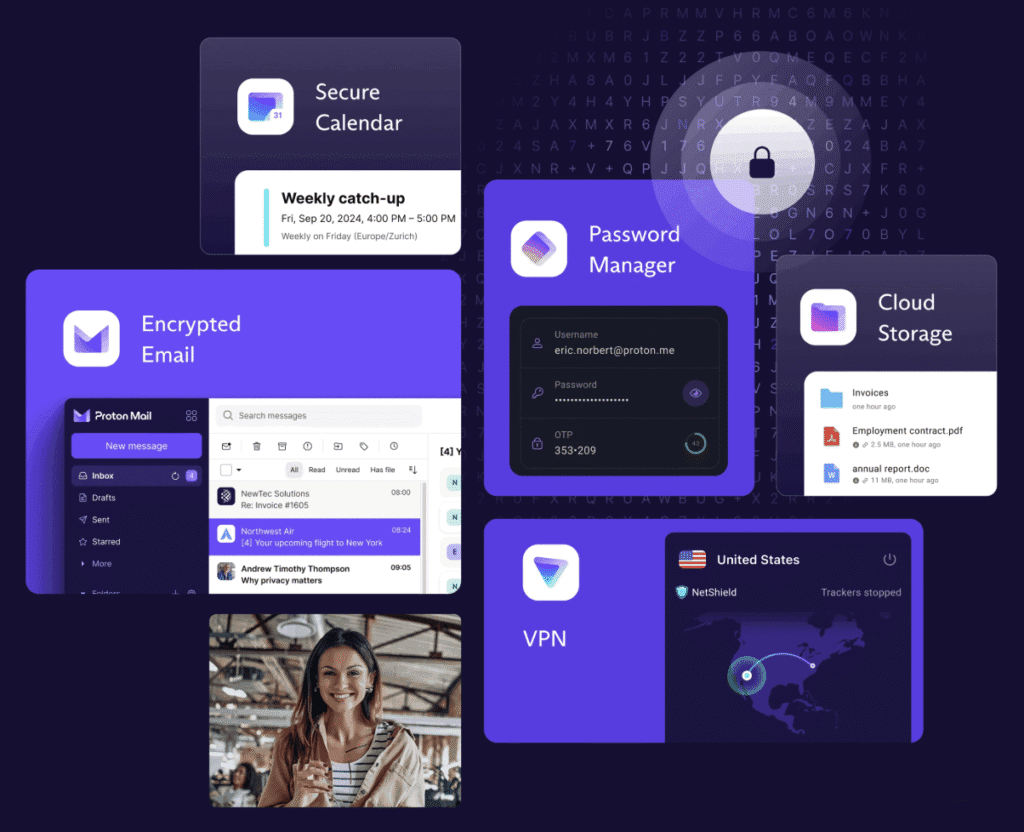
  • Eco-Friendly Privacy Ecosystem: Integrate with our partners like Proton for encrypted email, calendar, VPN, and storage – all in one bundle. Enjoy ad-free alternatives for music, videos, podcasts, and maps that minimise your online footprint. Our Pro Bundles even include extras like a premium Faraday bag (blocks signals to prevent tracking), camera covers, and a 1-year Proton Unlimited subscription.
  • Ethical and Community-Driven: We’re not just sellers; we’re building digital resilience in our communities. PrivacyPros hosts free workshops across Australia to teach privacy basics. It’s tech with a conscience that gives back.

Common Concerns

We understand some may see “switching” as daunting, but it’s easier than you think.

Here’s how we help with that:

  • Will I Lose Features? Not at all! You get full app access, notifications, and even optional sandboxed Google Play (with minimal tracking). Everything runs smoothly on high-end hardware like the Pixel series.
  • Is It Hard to Set Up? No DIY headaches here. We handle the complex stuff, and our user-friendly manuals guide you through the rest.
  • What About Cost and Reliability? Our phones are new (not refurbished), backed by 2 year warranties, and priced competitively. Avoid risky cheap alternatives.
  • How Does It Compare to Regular Phones?
FeatureStandard Phone (Android/iOS)Privacy Phone
Data CollectionConstant tracking for adsZero by default. Your data stays yours
Security ControlsBasic permissionsAdvanced toggles for sensors, mic, camera, usb port
App InstallationRequires accountsAnonymous downloads, no personal info
CompatibilityNetwork-dependentFull Aussie network support
Privacy FocusProfit-drivenUser-first, with ethical apps + tools

Privacy is a human right.

You don’t lose your privacy in one big moment. You lose it in thousands of tiny clicks.

Ditch DIY frustrations, generic setups and risky refurbs; switch to Australia’s best de-googled Privacy Phone for privacy, security and anonymity.

best secure private anonymous phone privacypros australia

Our Privacy Phones are available in Essential (budget-friendly basics) or Pro Bundle (premium features and free accessories). Both Privacy Phone bundles surpass any standard Australian phones for privacy, security and anonymity.
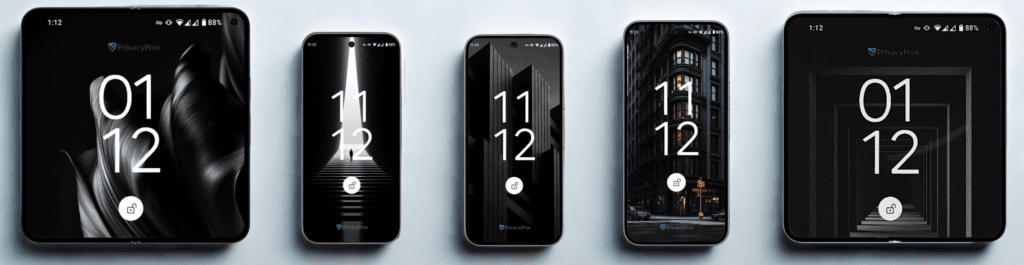
We start with new, 2-year warranted Pixel devices from trusted Australian suppliers, remove all Google tracking software, and install and configure GrapheneOS – a secure, expert-endorsed Operating System (OS). This “de-Googling” process gives you a phone that’s private, secure, and free from data harvesting, perfect for those who value control over their info. Our experts then follow a 100+ checklist to our ‘Standards’ (see FAQ) for configuration and testing (4-7hours) to ensure our standards are second to none.

Key Differences

FeatureEssentialPro Bundle
Best ForCasual users seeking affordable privacyPros, travellers, those wanting elite security
Config Time4+ hours of expert hardening7+ hours, extra layer, deeper defences, app configs, Proton ecosystem setup, accounts, etc
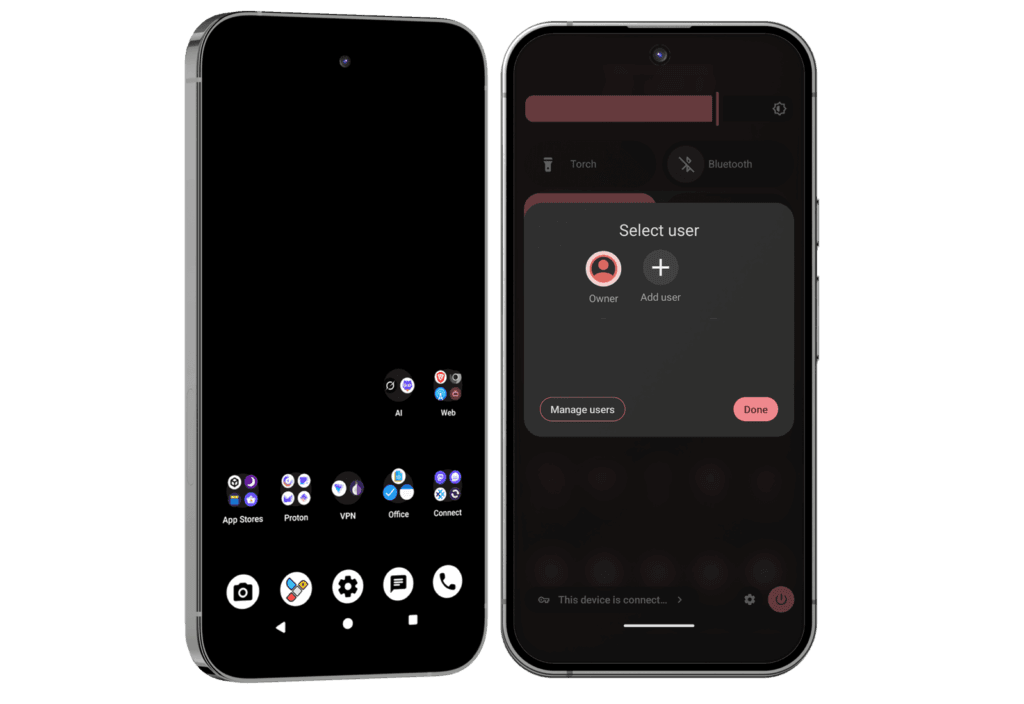
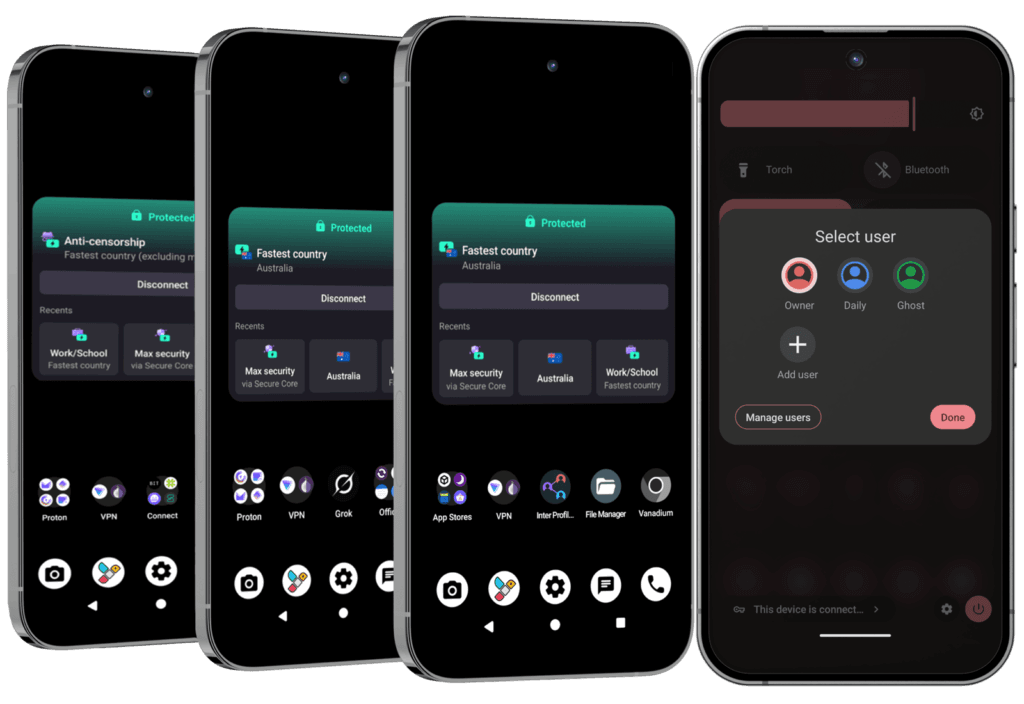
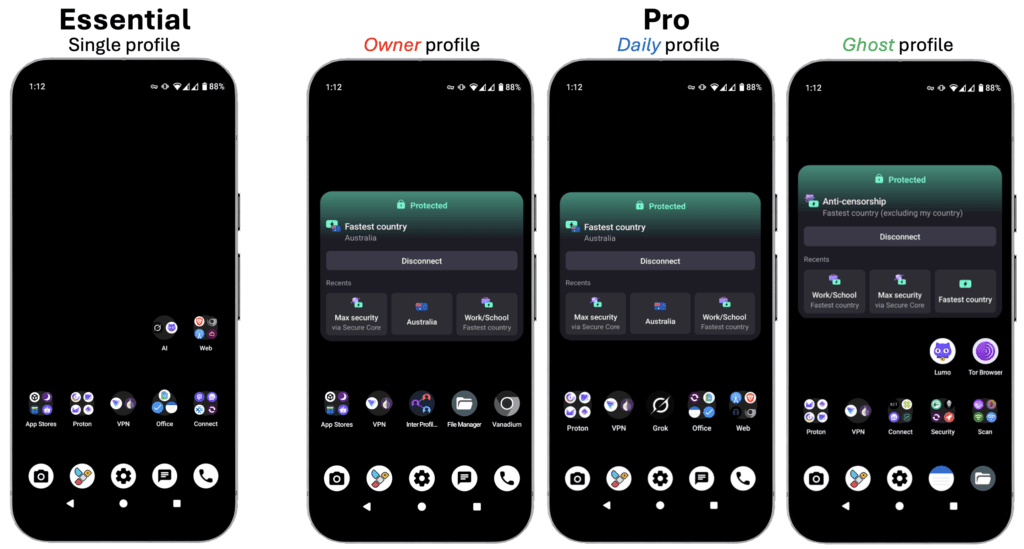
Profiles1 pre-set profile (Owner) + user-setup private spaces3 pre-set profiles (up to 32: switch in seconds):
1) Owner – admin core
2) Daily – everyday use
3) Ghost – extreme privacy
App Access4 private app stores (anonymous access) + optional sandboxed Google Play StoreSame + “push” setup for apps from Owner to profiles – avoids duplicates and syncs updates
Proton ServicesFree basic plan (email, VPN, 5GB storage) – no logs, Swiss privacy.1-Year Proton Unlimited (~$200): 500GB storage; unlimited VPN on 10 devices; 15 custom emails + unlimited aliases; up to 25 calendars; Password Manager with 50 vaults, autofill, and breach checks; Wallet for 10 crypto accounts with private transactions; Proton Sentinel (Dark Web monitoring for leaks)
Browsing & ToolsAd-free browsers; dark web access; offline podcasts, music, videos, etcSame + Hybrid VPN to enhance privacy amid censorship; private AI suite, etc
Security ExtrasQuick toggles for mic, camera, location, network, sensors, USBSame + detection tools for trackers, rogue WiFi; anonymous comms; metadata stripping, etc
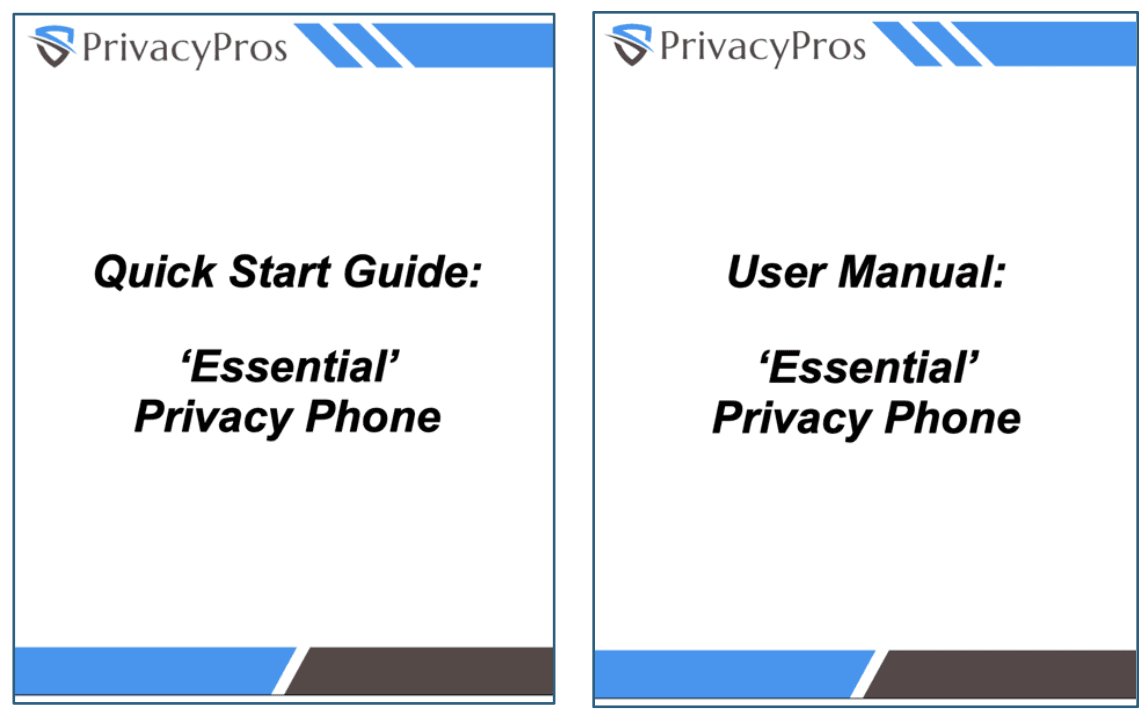
Perks + SupportQuick Start Guide + comprehensive User ManualSame + User Manual additions; free accessories (Faraday bag, camera covers, RFID wallet blocker, notebook) + 20-min call

Why Go Pro?

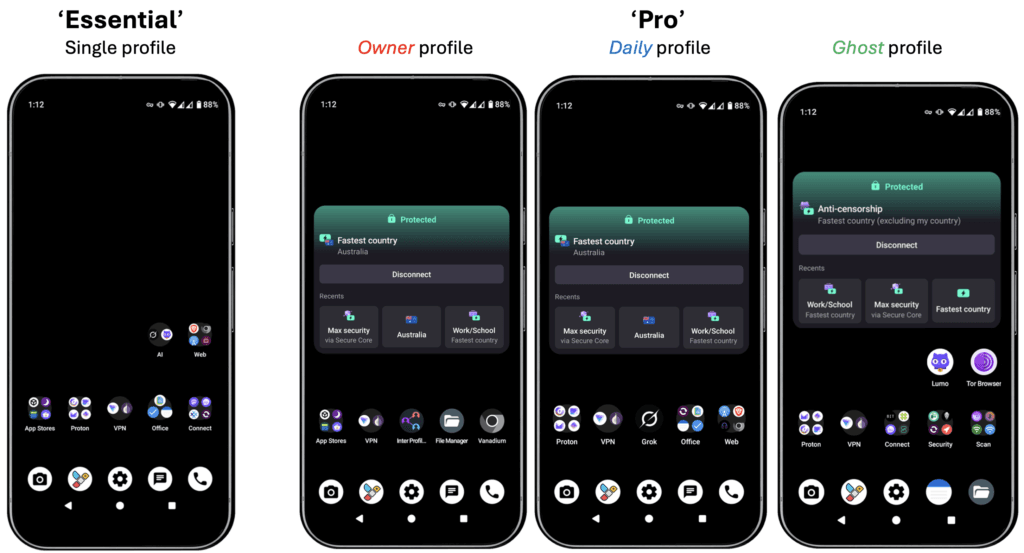
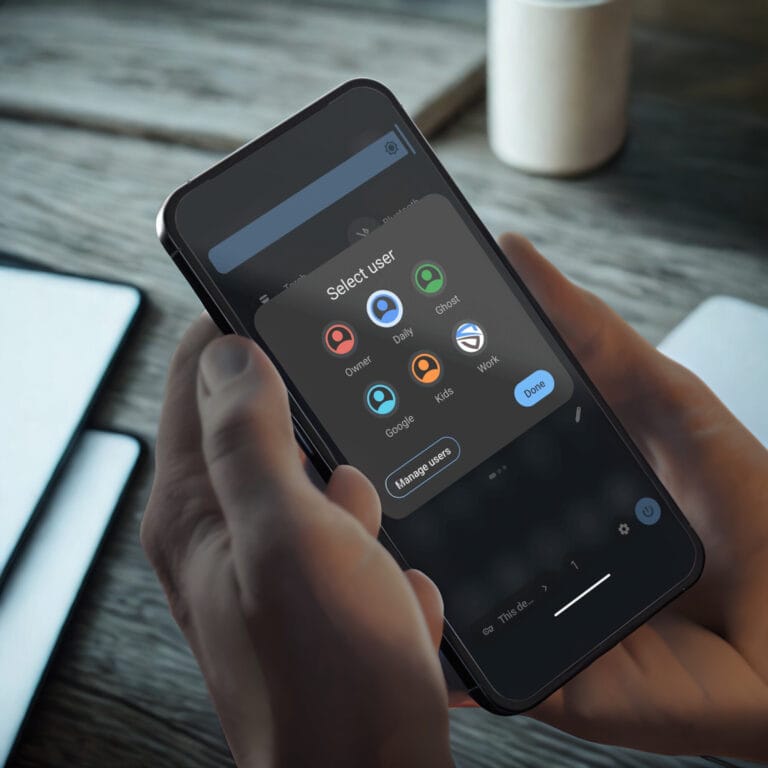
A Pro Bundle standout feature is its 3 pre-configured profiles (expandable to 32) – like having multiple phones in one. Switch in seconds:

  • Owner: Minimalist admin hub (red-themed) for system controls, app installs, and “pushing” apps. Configured with bare essentials to reduce attack surface.
  • Daily: For balanced, everyday use (blue-themed) with a range of pre-loaded apps for browsing, email, secure communications, etc.
  • Ghost: Extreme anonymity mode (green-themed) for sensitive tasks:
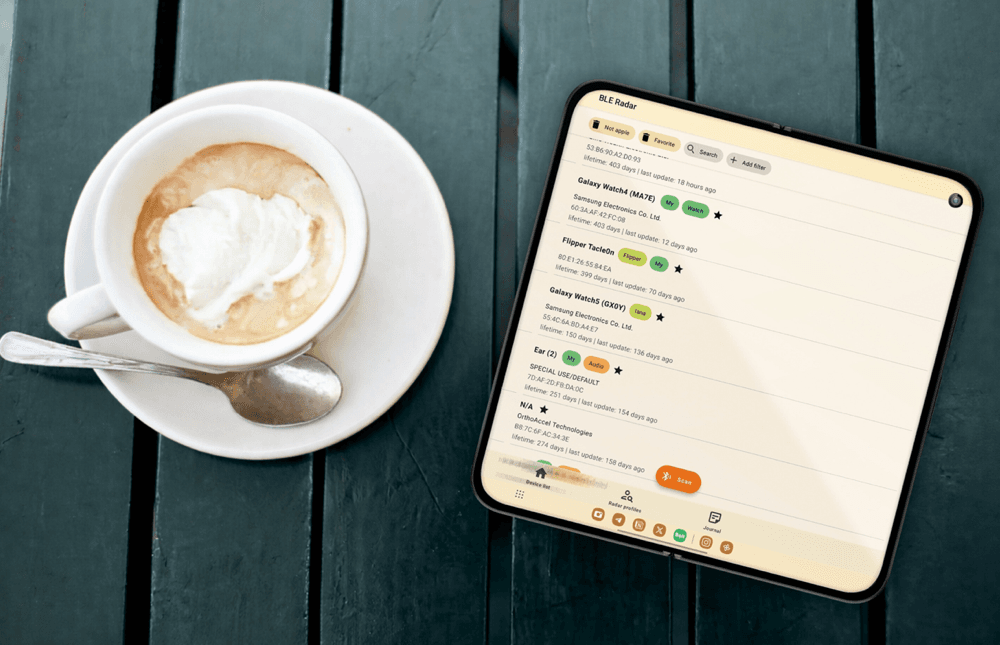
    • Detection & Analysis: tools to spot hidden trackers, rogue WiFis, surveillance devices.
    • Anonymous Comms: peer-to-peer messaging without metadata; hard-to-trace calls and chats; secure online/offline vaults for passwords with easy autofill, unlimited email aliases
    • AI Suite: privacy-focused AI for emails/chats (no logs); problem solving and creating/analysing images/videos. Pro tips on how to run isolated for extra safety.
    • Censorship-Resilient: hybrid VPN (Proton + Tor/Orbot) to bypass blocks; no SIM access.
    • Other: strip metadata from shared files (ExifEraser); off-grid tools to simulate locations to evade geo-tracking in apps requiring positional data; tips for digital resilience (Phone, PC and beyond).

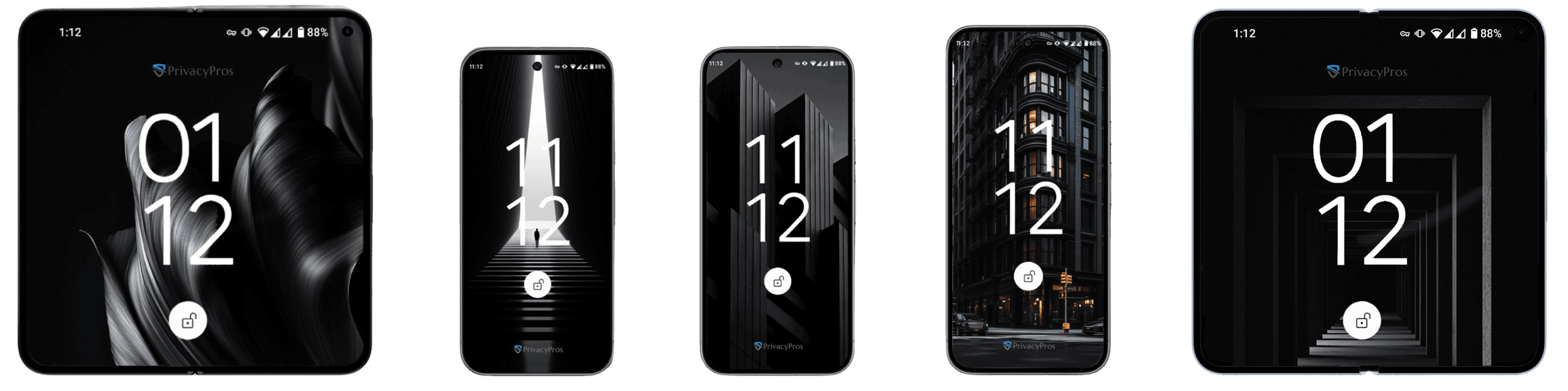
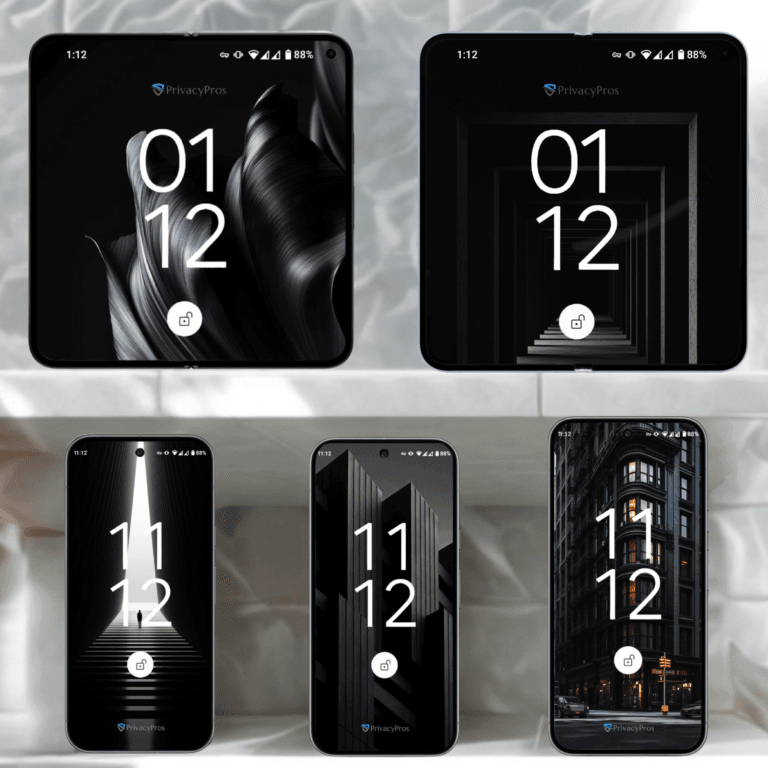
To illustrate, here’s homescreen screenshots (subject to change with tech + our evolving standards) of ‘Essential’ vs ‘Pro Bundle’ 3 pre-set profiles:


Is Pro Worth It?

If you’re tired of ads, tracking or data breaches, start with Essential for solid basics. Upgrade to Pro for peace of mind in a surveillance-heavy world – especially if you handle sensitive info or travel often.

Switch to Australia’s best de-googled Privacy Phone for leading privacy, security and anonymity.

privacypros australia privacy phone choice

Not all privacy phones are the same. If you’re searching for the best privacy phone in Australia, you might come across simple DIY de-googled setups, basic setups that leave gaps, complex setups that impact usability, and cheap refurbished devices with risks. PrivacyPros delivers unmatched quality, security, and support as Australia’s leading provider of de-googled privacy phones; we’re not just sellers. We work with vulnerable groups in our communities to empower everyday Aussies.

What sets us apart? It’s our commitment to expert device hardening, ethical practices, and an evolving privacy ecosystem tailored for 2026’s evolving threats like AI-driven surveillance and data breaches.

Let’s break it down simply and show why PrivacyPros beats the competition, helping you make an informed decision for a truly secure privacy phone.

The PrivacyPros Difference: More than Just a Phone

PrivacyPros logo

Unlike generic sellers who ship basic devices for you to figure out the rest, we treat every phone as a personalised privacy fortress. We start with premium Google Pixel hardware (new, not refurbished) and transform it into a leak-proof powerhouse using GrapheneOS – a secure OS praised by experts like Edward Snowden. But we don’t stop there. Our team spends 4-7 hours per device on a rigorous 100+ point checklist, ensuring everything from app vetting to sensor controls are optimised for privacy, security and ease of use.

No tech jargon: Think of it as buying a car that’s already tuned, safety-checked, and ready to drive versus one that requires you to rebuild the engine yourself with a user manual tailored for engineers. Our approach eliminates common pitfalls like configuration errors, data leaks, or frustrating setups that plague other options.

Head-to-Head: How PrivacyPros Stacks Up

Here’s a comparison based on what matters most to our customers. We’ve drawn from real user feedback and industry standards to highlight why we’re Australia’s #1 choice for de-googled privacy phones:

AspectPrivacyProsOthers
Community & EthicsHost free workshops across Australia on digital resilience; donate to GrapheneOS development; ethical partnerships (e.g., Proton for encrypted tools)Mostly transaction-focused; little to no community giveback, events, or ethical commitments.
Setup & HardeningExpert 4-7+ hour configuration with 100+ point checklist (see FAQ), no DIY required. Leak-tested profiles, vetted apps, quick toggles for camera/mic/locationOften basic or minimal setup; heavy DIY with steep learning curves, generic guides, and potential errors.
Device Quality & TrustNew Australian-sourced Pixels with 2-year OEM warranty, tamper-proof boot keys, and QR/IMEI verification for authenticityMany risky refurbished or imported devices; unverified sources could compromise security from the start.
Guides & EmpowermentCustom Australian manuals, beginner-friendly setups, AI privacy prompts, tips for success with other devices. Pro Bundle additional guides, resources and support call with every purchaseGeneric or copy-pasted materials; often just links to forums or no ongoing help.
Bundles + ValuePro Bundles include 1-year Proton Unlimited (~$200 value), high-quality Faraday bags, camera covers, and accessories – all at no extra costRarely bundled; expect to pay more for add-ons like local VPNs or protective gear.
Full EcosystemHolistic support: Privacy laptops, on-the-go accessories, digital footprint audits, free Privacy Hub resources, and consultations for individuals/families/businessesProduct-only focus; no integrated services or tools for long-term privacy.
User FocusDesigned for non-experts, families, and professionals – empowering isolated users with simple, effective privacyOften tech-heavy, alienating beginners or those without time for tweaks.

This table shows it plainly: PrivacyPros offers superior value, reducing risks and saving you time/money compared to competitors.

Addressing Your Concerns: Why Not Go Elsewhere?

We know switching to a privacy phone raises questions, especially when comparing options. Here’s how we tackle the common ones:

  • Is It Really Easier? Absolutely. Other providers might promise “privacy,” but their DIY routes can lead to hours of frustration or even security gaps. With PrivacyPros, your phone arrives ready-to-go, with everything explained in plain English.
  • What About Cost? Our competitive pricing includes extras that others charge for separately or don’t offer. Plus, investing in expert configuration and quality means fewer headaches and better longevity – no need for constant upgrades, fixes or trips to your local electronic store to figure out what’s gone wrong.
  • Reliability in Australia? We’re locally based, ensuring full compatibility with Telstra, Optus, Vodafone, etc. International sellers might face shipping delays, customs issues, or incompatible networks.
  • Security Guarantees? We align with Australia’s Privacy Principles and use only trusted, open-source tools. Competitors’ shortcuts – including disguised refurbished-phones (very risky) – could expose you to significant vulnerabilities.

Ditch DIY frustrations, generic setups and risky refurbs

Switch to Australia’s best de-googled Privacy Phone choice

PrivacyPros Australia privacy phone range 2026

We don’t just sell devices; our expert configurations engineer them to the highest standards using GrapheneOS – the most secure operating system trusted by industry and privacy advocates worldwide. Our ‘Standards‘ ensure every Privacy Phone is hardened against threats, is easy to use, and tailored for long-term digital resilience. We handle a complex 100+ point checklist (spending 4-7 hours per device) so you don’t have to, delivering a plug-and-play experience that balances privacy and security with convenience.

We strive to provide an above-and-beyond approach with resources: providing a full overview of every pre-installed app, curated learning materials, links to video tutorials, and alternative options with apps to save client time and frustration.

The Foundation of Every Privacy Phone

Our standards are built on 4 core pillars: Security, Privacy, Usability, and Resilience. These pillars guide our strategy, drawn from GrapheneOS updates, expert insights, and community feedback as we refine them continually. Here’s a simple breakdown:

  1. Security 🔒: We prioritise features that protect against hacks, malware, and unauthorised access.
    • Verified Boot and Tamper Detection: Every startup checks for changes, alerting you to potential tampering – like a built-in alarm system.
    • Hardened Memory and Exploit Protection: Advanced tech (like Memory Tagging Extension) makes it harder for attackers to exploit weaknesses, reducing risks from apps or software bugs.
    • App Sandboxing: Apps run in isolated “boxes” using isolation methds.
    • Duress PIN/Password: A special PIN can wipe sensitive data (even eSIMs) in emergencies.
    • Auto-Reboot Feature: Set to 18 hours by default, clears temporary data to keep phone bug-free, fresh and secure.
    • Tips for safe AI use to avoid cloud leaks.
  2. Privacy 🛡️: Privacy is about minimising what others can see or collect. We strip trackers and give you easy controls, so you decide what gets shared. We also provide guides on best privacy practices to help build habits.
    • Zero Telemetry by Default: No background data collection – usage stays private.
    • MAC Randomisation and Toggles: Randomises device’s “address” per connection; quick switches for location, microphone, camera, network, sensors, NFC, and USB.
    • Memory Zeroing: Automatically clears freed memory to prevent data remnants.
    • 4G-Only Mode: Reduces exposure by default while keeping calls (VoLTE) working smoothly.
    • Proton Ecosystem Integration:
      • ‘Essential’ tier for encrypted email, calendar, and more
      • ‘Pro Bundles’ tier gives 1-year Proton Unlimited for advanced tools
  3. Usability ⚡: A secure phone shouldn’t feel like a chore. We optimise for smooth, familiar use, even if for non tech-savvy. Resources include tips, guides and app suggestions to enhance experience.
    • Android-Like Customisation: Recent updates with easy tweaks – no steep learning curve.
    • Pre-Optimised Apps: Vetted, open-source apps installed and ready; app stores like Aurora for anonymous downloads. Deeper configuration for ‘Pro Bundle’ tier.
    • Navigation & Settings: Starts with 3-button controls (tip: change to gestures); grouped quick settings.
    • Consistent Menus: Everything intuitive, with guidance for personalisation without overwhelming complexity.
  4. Resilience 🛠️: Focus on sustainability, ensuring device withstands evolving threats.
    • Community-Vetted Processes: Refined based on real user feedback.
    • Tailored Guides: Quick Start Guides and User Manuals for beginners to experts; above-and-beyond approach not a copy-and-paste.
    • ‘Pro Bundle’ Extras: Includes resilience self-assessments, a support call, Faraday bags, camera covers, and more.
    • Consultations and Donations: Free advice for custom setups; donate per sale to GrapheneOS dev.

Is This Configuration Right for Me?

The investment in quality configuration pays off in saved time and enhanced protection.

With rising concerns over data laws and surveillance, our Standards set the benchmark for de-googled privacy phones in Australia. They’re designed to protect, empower, and simplify your digital life.

We are dedicated on building digital resilience in our communities.

PrivacyPros logo

When it comes to privacy phones, quality hardware is critical. We exclusively sell new, Australian-sourced Google Pixel phones that we expertly transform with GrapheneOS – the world’s leading privacy-focused operating system (OS).

No refurbished units, no risky grey imports, no compromises on security or performance.

Why Focus on Pixels?

They’re the only smartphones that deliver the hardware foundation that GrapheneOS needs to “de-google” for top-tier protection:

  • the Titan security chip for tamper-proof encryption
  • verified boot to detect tampering, and
  • unmatched long-term support.

Endorsed by industry and privacy experts, GrapheneOS + Pixel hardware is widely regarded as the most secure and private phone setup available in 2026. We compare its closest rivals here.

Current Lineup

We stock the latest Pixel series, chosen for their superior hardware security, 7 years of guaranteed security updates (far outlasting most competitors), and seamless GrapheneOS integration. Here’s a specs overview of models we offer:

ModelSizes AvailableKey Specs
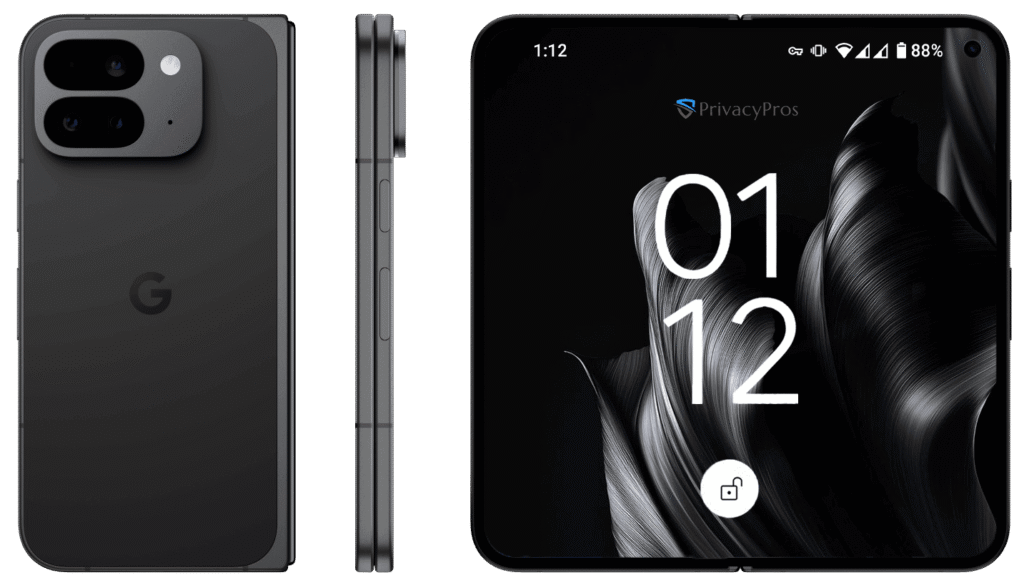
Pixel 9 Pro Fold256GB, 512GB8.0″ foldable LTPO OLED, Tensor G4, 4650mAh, Triple cam (48MP), 16GB RAM
Pixel 10 Pro Fold256GB, 512GB, 1TB8.0″ foldable LTPO OLED, Tensor G5, 5015mAh, Triple cam (48MP), 16GB RAM, Android 16
Pixel 10 Pro XL256GB, 512GB, 1TB6.8″ LTPO OLED, Tensor G5, 5200mAh, Triple cam (50MP), 16GB RAM, Android 16
Pixel 10 Pro128GB, 256GB, 512GB, 1TB6.3″ LTPO OLED, Tensor G5, 4870mAh, Triple cam (50MP), 16GB RAM, Android 16
Pixel 10128GB, 256GB6.3″ LTPO OLED, Tensor G5, 4970mAh, Dual cam (50MP), 12GB RAM, Android 16
PrivacyPros Australia privacy phone range 2026

Every Privacy Phone arrives ready-to-use: no Google account required, anonymous app downloads via trusted stores like Aurora, and quick toggles for camera, mic, location, and more.

Premium quality camera and display packaged as a privacy fortress – our de-googled Privacy Phones deliver top-tier performance via GrapheneOS full hardware access.

We use new, Australian-souced phones only which beats any refurb risks or grey imports.

9/10 series Pixels are DXOMark (independent expert reviewers) 2025 leaders that outshine iPhone 16/ SamsungS25/ other rivals in realism, low-light, and vibrancy.

See the reviews at:

Stunning shots & views with privacy!

de-googled google pixel camera display

No, it’s a very risky choice! With escalating cyber threats, data breaches, and surveillance risks, using an old or refurbished phone can expose you to serious vulnerabilities.

We strongly recommend new devices, Australian-sourced with full 2 years warranty to avoid dangers lurking in outdated or pre-used hardware.

Key Security Risks of Old and Refurbished Phones

Old phones (typically 3+ years old) and refurbished models – often sold by other providers – lack the updates and hardware needed to combat modern threats. Here’s why they’re not ideal for privacy-focused users:

  • Refurbished Dangers: Many sellers push refurbished units to cut costs – but these carry hidden perils. Devices may have been previously compromised, with rootkits, spyware or malware pre-installed. Without verifiable sourcing, you risk buying tampered hardware – think altered boot keys or backdoors. Plus, refurbished phones often lack full warranties, leading to unreliable performance and no recourse for failures. In Australia, consumer laws offer limited protection for second-hand goods, amplifying financial and security risks.
    • Caution: If a seller is not clearly stating a device is purchased new and cannot provide a full 2 years Australian OEM Warranty – you are likely looking at a risky refurbished device.
  • Outdated Security Patches: Manufacturers stop providing updates after 2-5 years, leaving devices open to exploits like malware, ransomware, and zero-day attacks. In 2026, unpatched vulnerabilities can allow hackers to access your camera, mic, sensors or data remotely.
  • Hardware Limitations: Older chips can’t support advanced features like GrapheneOS’s exploit protection, memory hardening, or verified boot. This means weaker encryption and higher risks of tampering or data leaks.
  • Performance and Battery Degradation: Aging batteries drain faster and pose safety hazards (e.g., swelling or overheating). Slow processors struggle with secure apps, forcing compromises on privacy settings.
  • Network Incompatibilities: Older models may not support modern Aussie networks fully, dropping VoLTE calls or exposing you during connections.

These issues align with Australia’s Privacy Principles, where using insecure devices could lead to non-compliance for professionals handling sensitive data.

private secure privacy phone australia risks

Why New De-Googled Pixels with GrapheneOS are the Safer Choice

PrivacyPros exclusively sells new Australian-sourced Pixels – no refurbishments – for unmatched safety. We transform each Privacy Phone with GrapheneOS, spending 4-7 hours to our “Standards” with a 100+ point hardening checklist to eliminate leaks and optimise controls.

  • Extended Support: 7 years of security updates keep your phone protected against evolving threats.
  • Advanced Hardware Security: Titan chip enables tamper detection, strong encryption, and features like duress PINs for emergency data wipes.
  • Full Privacy Controls: Quick toggles for sensors, zero telemetry, and anonymous app installs via Aurora Store—no Big Tech tracking.
  • Reliability and Warranty: New devices come with a 2-year OEM warranty, ensuring longevity and peace of mind.
  • Eco-Friendly Longevity: Better build quality reduces e-waste compared to frequently replacing old/refurbished units.

Integrating with our Proton bundles (encrypted email, VPN, storage), these phones provide a complete, resilient ecosystem – far safer than piecing together old hardware.

Don’t gamble with old or refurbished phones – opt for new devices for privacy without the pitfalls.

DeGoogled Pixel 10 pro xl secure private privacy phone privacypros australia

GrapheneOS is an open-source operating system (OS) designed for ultimate privacy and security on smartphones. Built on Android but stripped of Google trackers, it’s the top choice for de-googled phones in Australia. At PrivacyPros, we use GrapheneOS on new Google Pixel devices to deliver leak-proof protection. No tech skills needed: It’s like your regular android phone; but safer, more secure and ad-free.

grapheneos degoogled phone australia 2026

Key Features:

  • Zero Tracking by Default: No hidden data collection – your location, searches, and apps stay private.
  • Easy Controls: Quick toggles to turn off camera, mic, location, or sensors with one tap.
  • Strong Defenses: Verified boot detects tampering, auto-reboots clear temporary data, and app “sandboxes” keep programs isolated – no spying between apps.
  • Long-Term Updates: 7 years of security patches on latest Pixels, protecting against new threats like malware.
  • User-Friendly Tweaks: Runs familiar apps anonymously via stores like F-Droid or Aurora without ID/email; optional isolated Google Play Store available if needed.
  • Emergency Tools: Duress PIN wipes sensitive data fast – ideal for travellers or professionals.

Unlike stock Android (full of Google surveillance) or iOS (Apple’s data grabs), GrapheneOS is community-driven and ethical, with no profit from your info.

Drawbacks: Minor learning curve for beginners; some apps may need tweaks or sandboxed Play for full functionality. PrivacyPros simplifies this with pre-hardened setups, detailed manuals, and a free 20-minute support call for ‘Pro Bundle’ clients.

Quick comparison: GrapheneOS vs. Standard OS:

FeatureGrapheneOSAndroid/iOS
Data PrivacyNo data collection by default; user-controlled.Constant tracking for ads/profiling
Security UpdatesExtended 7+ yearsLimited after 2-5 years
Ease for BeginnersSimple toggles, no setup hassleComplex permissions, forced accounts
CompatibilityFull Aussie networks, all appsNetwork-dependent, data-heavy

At PrivacyPros, we donate per sale to GrapheneOS development to support their ongoing excellence.

For more on GrapheneOS:

Ready to experience GrapheneOS? Explore our Privacy Phones.

PrivacyPros Australia 2026 logo

“De-Googled” means removing Google’s Operating System (OS) software and trackers from Android for better privacy and control. Whilst there are a few approaches – GrapheneOS stands out as the most secure and reliable option, and powers our de-googled Privacy Phones. Endorsed by industry and privacy experts like Edward Snowden, it’s built for real-world protection against hacks and surveillance.

GrapheneOS review australia 2026

But how does it stack up against alternatives like CalyxOS, LineageOS, or /e/OS?

Why GrapheneOS Stands Out

GrapheneOS is a non-profit, open-source OS that prioritises hardcore security without sacrificing ease. It runs exclusively on Google Pixels (our choice for top hardware), offering 7 years of updates. Unlike others, it includes advanced defenses like verified boot (checks for tampering) and advanced app isolation methods (i.e. sandboxes apps to prevent spying). It’s clean, ultra fast, and ad-free – perfect for Aussies under strict privacy laws.

Other de-googled OS options provide privacy but often fall short in security depth or device support. For non-tech-savvy folks – GrapheneOS feels familiar to regular Android with quick toggles for camera/mic/location and anonymous app downloads via Aurora Store.

Quick comparison

FeatureGrapheneOS
(our pick)
CalyxOSLineageOS/e/OS (Murena)
Security FocusHighest – exploit hardening, tamper detection, duress PINStrong, but less advanced hardeningBasic, community-driven patchesGood, but relies on microG for Google compatibility
Privacy ControlsZero telemetry, full sensor toggles, no Google by defaultMinimal tracking, optional microGCustomizable, but potential leaksUser-friendly, but includes some trackers
Device SupportGoogle Pixels only (best hardware security)Pixels + some othersWide range, but inconsistent updatesFairphone + select devices
Usability for BeginnersSimple setup, intuitive like stock AndroidEasy, with some Google services optionalRequires tweaks, can be buggyApp-focused, but slower performance
Update Longevity7+ years on Pixels5 years on supported devicesVaries by device/community5 years, but less reliable
Australian CompatibilityFull networks (Telstra, Optus), Proton integrationGood, but fewer privacy extrasVariable, potential app issuesDecent, but limited local support

GrapheneOS wins for its unmatched security (e.g., memory zeroing to erase data traces) and ethical, community-backed development. Others like CalyxOS are great for broader device choices, but GrapheneOS excels in pure protection.

If you’re seeking the best de-googled OS without compromises – GrapheneOS delivers.

Shop GrapheneOS-powered Privacy Phones or explore more FAQs.

GrapheneOS logo with hex structure

With every Privacy Phone – we pre-install and configure four privacy-focused app stores for secure, tracker-minimised access to thousands of apps. No mandatory Google/Apple accounts are needed with anonymous downloads supported where possible. This empowers you to install what you need without Big Tech tracking and surveillance.

App stores:

  • Aurora Store: Provides anonymous access to the Google Play Store library for browsing, downloading, and updating apps.
  • F-Droid: Provides a repository of free, open-source apps with no ads or built-in tracking, including anti-feature alerts for potential issues like dependencies or non-free elements; 2025 updates focus on resilience amid Google’s developer rules, with community-driven patches and an expanding selection aligned with open information principles.
  • Accrescent: Provides a secure, GrapheneOS-optimised store with high-quality app selection emphasising privacy and usability. Comes with app signing key pinning, and signed metadata.
  • GrapheneOS Apps: Includes verified first-party tools by GrapheneOS.

Most Android apps run smoothly on GrapheneOS, though a few (e.g., some banking or push-heavy apps) may require optional sandboxed ‘Google Play Services’ for full functionality. For ultimate privacy, we avoid pre-installing sandboxed Google Play by default; however our User Manuals will provide guidance for setup.

The ability to access secure apps without surveillance is critical for any considered journey towards digital freedom.

Yes! We pre-install a vetted collection of privacy-focused apps on each de-googled device – chosen + optimised for enhanced privacy, security and anonymity. Our experts invest 4-7+ hours hardening each device, with leak-testing and sandboxing for reliable performance. These standards deliver a refined setup that surpasses basic DIY or competitor options, saving you time, risks and a steep learning curve.

‘Essential’ Privacy Phone includes:

  • Browsing/Media: Ad-free Brave/Tor with sync; offline podcasts/music/video (anonymous Spotify/YouTube alts).
  • Proton Free: Encrypted Mail (1 GB storage), Drive (5 GB), Calendar, VPN, Pass, and Authenticator – Swiss privacy with no-logs policy.
  • Productivity/Security: Document editing, encrypted notes/tasks, metadata-stripping for photos, end-to-end encrypted messaging/calls/sharing; offline maps/weather; photo stripping; AI tools (isolated queries/drafting/images, no logs).
anonymous privacy private phone Australia user profiles essential

‘Pro Bundle’ Privacy Phone includes all ‘Essential’ + advanced privacy, security and anonymity configuration, tools and software:

  • Proton Unlimited: 1-year plan (~$200 value) with unlimited Mail (500 GB storage), high-speed VPN (10 devices), AI-assisted breach monitoring and dark web alerts.
  • Ghost profile tools: Tracker detection (e.g., Bluetooth/network scanners), rogue hotspot identification, secure P2P comms, location testing tools for privacy scenarios; Hybrid-VPN configurations for resilience.
  • Profiles: 3 pre-configured isolated setups (Owner + Daily + Ghost) – expandable to up to 32 i.e., for work, kids, socials, etc.
anonymous privacy private phone Australia user profiles pro bundle

Unlike transaction-only sellers, we are dedicated to building digital resilience in our communities. In our provided User Manuals we give you an overview of every app we install, tips for use, resources to learn more, links to videos for a deeper dive, even alternative apps to consider saving you the hassles of a steep learning curve.

pro privacy private phone Australia support

Zero default surveillance, maximum ease – check out our shop for Australia’s best de-googled Privacy Phone choice.

PrivacyPros Australia 2026 logo

Yes, we pre-install several secure web browsers on our devices for enhanced private, anonymous browsing – significantly reducing trackers, fingerprints, and threats.

Browsers included:

  • Vanadium: GrapheneOS’s default, security-focused browser (Chromium-based) with advanced hardening like site isolation, sandboxing, memory tagging, no telemetry, and frequent updates – ideal for robust protection.
  • Brave: Ad-free browsing with built-in tracker blocking, encrypted sync (Guide to sync with your PC included in our User Manuals), and Tor tabs for private sessions.
  • Tor: Enables anonymous surfing via onion routing; recent 2026 improvements include better Android integration, screen lock for tabs, and more stable VPN+Tor compatibility for added layers of privacy and security.

Unlike Chrome – which sends significant telemetry to Google, or Firefox – which includes telemetry without GrapheneOS-specific hardening, our selections minimise tracking at the source.

We also provide guides for configuring and syncing Privacy Phones with PC browsers to extend protection across devices.

Yes! We have partnered with Proton, and bundle their independently audited, no-logs ecosystem; all pre-installed for seamless Swiss privacy. Proton – trusted by over 100 million users worldwide – is compatible with GrapheneOS’s sandboxing for added isolation.

‘Essential’: Proton Free tier delivers core privacy tools, including:

  • Encrypted Mail: 1 address, 1GB storage, up to 150 msgs/day.
  • VPN: Unlimited data at medium speeds, 1 device, servers in 3 countries (US, Netherlands, Japan), with NetShield for ad/malware blocking.
  • Plus: 5 GB Drive, Calendar, Pass (password manager), Wallet; all ad-free, end-to-end encrypted, no logs. 

‘Pro Bundle’: Proton Unlimited (1-year included at ~$200 value) provides premium features, including:

  • Unlimited Mail: 500 GB storage, unlimited messages, up to 15 addresses/domains/aliases, Proton Scribe AI drafting (on-device or secure no-logs servers).
  • High-Speed/advanced VPN: Unlimited data at up to 10 Gbps, 10 devices, servers in 127+ countries (including Australia), Secure Core, Tor integration, custom DNS/split tunnelling, Proton Sentinel (AI+human threat blocking, dark web monitoring), and streaming support.
  • Plus: 500GB Drive, advanced Calendar/Pass/Wallet, priority support.
  • Full details at https://proton.me/pricing.
proton vpn mail drive australia

Unlock Swiss-grade privacy – shop our de-googled Privacy Phones today!

anonymous secure private privacy phone privacypros australia 2026

User Profiles:

User Profiles on our de-googled Privacy Phones leverage GrapheneOS’s enhanced multi-user system – creating isolated “digital rooms” on your device.

They separate apps, data, and encryption keys to significantly reduce cross-access risks and data leaks. Ideal for online safety as they provide stronger compartmentalisation than stock Android’s limited multi-profile support.

Switch between profiles seamlessly in seconds – no need for extra devices – great for isolating work, banking, family access, social apps, etc.

Essential’ Privacy Phones are configured with a single ‘Owner’ profile.

Pro Bundle‘ Privacy Phones are configured with 3 profiles offering advanced isolation:

  • Owner’ profile: admin hub for system controls, tweaks, and app management.
  • ‘Daily’ profile: balanced, for everyday apps and activities.
  • ‘Ghost’ profile: high-anonymity setup for sensitive tasks.
secure anonymous privacy phone profiles privacypros australia

Private Spaces:

Private Spaces is a feature that nests a hidden, isolated area within an existing profile – secured by a separate PIN or biometrics for added privacy. It acts like a secret vault: apps inside are sandboxed from the main profile with standalone encryption, ideal for sensitive tasks or risky apps. While it enhances usability over full profiles (no reboot to end sessions), it shares some resources like the clipboard.

Our User Manuals provide easy-to-follow steps to get you set up securely with both. We also detail other isolation features available with our Privacy Phones, such as:

  • Storage Scopes – an alternative to broad storage permissions. This function makes apps think they have access to a device but limits to specific files/directories you control.
  • Contact Scopes – a granular alternative to full Contacts permissions which allows you to grant read access to subsets only.
essential best anonymous private privacy phone privacypros australia support
pro privacy private phone Australia support

Our de-googled Privacy Phones feature controls that can disable the camera, mic, sensors (e.g., gyro/accel for motion tracking), location, network (WiFi/mobile/Bluetooth), and USB. This provides a very strong defence against tracking and surveillance.

Some are pre-configured for quick access, and are far superior to stock Android’s permissions, with kernel-level enforcement for features like sensors and USB to significantly reduce app access risks.

Instant Privacy Power.

Our Privacy Phones are unlocked, global-ready de-googled devices using GrapheneOS – just insert/load your SIM/eSIM. eSIM works independently of Google for privacy, and preloaded Proton/Orbot VPNs bypass geo-blocks. Our Quick Start Guides and comprehensive User Manual simplifies setup for hassle-free use.

Do you support Dual Sim or eSIM?

Yes! All our devices support dual SIM: one physical nano-SIM slot plus eSIM from providers like Telstra, Optus, Vodafone, Boost, Kogan, Amaysim, etc – ideal for separating work/personal without extra devices. eSIM activation is Google-free: just download your carrier’s eSIM profile via QR code or app (e.g., from carrier site), then activate in Settings. No data leaks during setup. Pro tip: Use profiles to isolate SIMs for added privacy.

Do your phones work on All Australian Networks?

Yes! They are compatible with local carriers (Telstra, Optus, Vodafone) and MVNOs (Boost, Amaysim, Kogan, ALDI Mobile, etc) – no locks or restrictions for seamless 4G/5G coverage.

We’ve tested extensively; switch carriers anytime.

Do your phones work in All Countries?

Mostly. Our devices support global bands for 4G/5G in 190+ countries, but verify carrier specs: US-sourced models lack some mmWave 5G (e.g., n258/260/261 for ultra-fast US/Japan networks), and Japan may need specific bands (e.g., n79). Preloaded Proton VPN or Orbot (Tor) can bypass geo-blocks and censors – e.g., access AU services abroad without logs.

Can I disable 5G?

Yes! Switch to our recommended LTE-only (4G) mode to reduce attack surface, save battery, and enhance privacy (less vulnerable code running). We default to this in our standards for configuration; just toggle back to 5G when needed. This approach lowers tracking risks from unpatched 5G exploits and better battery life.

Can I use Android Auto?

Yes! Compatible with our devices – install via sandboxed Google Play for isolated, minimal-tracking use (instructions provided in our User Manuals). Connect wired/wireless to your car for navigation, calls, and media; pair with Proton VPN for private routes. Tested on major vehicles; if issues, enable compatibility mode in Settings.

Yes! Devices like AirTags or Tiles use Bluetooth Low Energy (BLE) for proximity tracking (~10-50m range), while rogue hotspots spoof WiFi signals for man-in-the-middle attacks or location fingerprinting. Our de-googled Privacy Phones counter these with kernel-level blocks and pre-loaded tools – far beyond stock Android/iOS which often lack native defences.

Our ‘Pro Bundle‘ Privacy Phones integrate advanced scanning in its ‘Ghost’ profile for privacy threats like stalking or surveillance:

  • Geofencing: Apps create BLE-based virtual fences (~50m radius) and can push alerts if trackers enter/exit zones (e.g., home/car perimeter during protests or travel). Customisable for family/activism; tamper-proof with low false alarms.
  • BLE Scanning/Blocking: Detects trackers (AirTags, Tiles, Find My) via background scans; auto-alerts, plays sounds to locate, blocks signals; logs history for patterns. Real scenario: Ping if a stalker’s tag follows you – false positives minimised via filters.
  • WiFi Signal Analysis: Spot rogue hotspots by revealing hidden SSIDs, signal strengths, and anomalies (e.g., duplicate networks); evades fingerprinting via channel optimisation.
  • Full Integration: One-tap kills in Quick Settings (Bluetooth/WiFi/sensors); pairs with per-connection MAC randomisation, network toggle (blocks localhost), and Proton VPN for layered anonymity.
  • Off-Grid Extras (Pro Bundle): Verified Boot tamper alerts; Faraday bag blocks all radio signals; signal logs for forensics – ideal for high-risk scenarios.

If you know… you know. Shop our Privacy Phones now!

private phone australia tracking signal

Yes, our de-googled Privacy Phones provide robust, local-first integration with many smart home devices – avoiding the cloud-based spying of Google Home or Apple HomeKit. Use apps like Home Assistant Companion or openHAB for secure control of lights, cameras, locks, thermostats, and more, all isolated and leak-proof. This setup outperforms stock Android’s telemetry-heavy approach and HomeKit’s occasional vulnerabilities, with full compatibility confirmed in 2025 updates.

How It Works:

  • Local-First Apps: Prioritise apps that run entirely on your local network – no mandatory cloud uploads. Home Assistant (HA) Companion supports full sensors, automations, and voice control; 2025 updates add AI-driven features like predictive routines without external servers. OpenHAB offers similar flexibility for complex setups, with Java-based rules for custom integrations, ideal for privacy-focused users avoiding vendor lock-in.
  • Setup Steps: Install via pre-configured stores (e.g., F-Droid). Connect to your hub (e.g., Raspberry Pi running HA) over Wi-Fi; enable local discovery in app settings. For voice: Use HA’s built-in Assist (offline-capable) or isolated third-party if needed. Our Manuals guide profile-based isolation to contain IoT data.
  • Compatibility Notes: Works with Zigbee/Z-Wave (via hubs), Matter/Thread (local only), and Bluetooth devices. If an app requires Play Services (rare for HA/openHAB), sandbox it optionally – minimal tracking, as per GrapheneOS docs.

GrapheneOS’s security enhancement features make integrations ultra-secure, reducing attack surfaces significantly vs stock systems through isolation and controls:

  • Network Permissions: Toggle blocks all app network access (including localhost), preventing leaks to unauthorised servers; per-profile VPNs/Wi-Fi ensure IoT traffic stays local.
  • Bluetooth Controls: Disable after timeout or globally to thwart proximity attacks; ideal for BLE devices like locks/sensors.
  • Sensor Toggles: Zero out data from accelerometers/gyroscopes, stopping inferred tracking from smart home motion detectors.
  • Profiles & Isolation: Run IoT apps in dedicated profiles (up to 32) – e.g., Ghost on our ‘Pro’ Phones for sensitive cams – to prevent cross-app data sharing or exploits.
  • Other: MAC randomisation hides your device on Wi-Fi; USB controls block physical attacks; auto-reboot clears cached IoT data.
grapheneos secure private phone australia 2026

Yes – our de-googled Privacy Phones prioritise sustainability, extending device life and minimising e-waste. The Pixel 10 series sets a benchmark with 32% recycled materials by weight (a record for Pixels), including 100% recycled aluminium enclosures, 100% recycled rare earth elements in magnets and haptics, and 100% recycled cobalt in batteries. Packaging is 100% plastic-free, reducing environmental impact from production to disposal. GrapheneOS aligns with Google’s 7-year update policy, potentially extending usability with harm reduction patches for longer security – keeping your phone viable and out of landfills.

PrivacyPros Australia 2026 logo

Not yet – we’re focused on Aussie communities at the moment.

However – exports are planned for overseas in 2026.

Contact us if you have any questions – we may be able to provide a custom online quotation that includes an international insured courier service to your desired country.

PrivacyPros logo

Aussie carriers (Telstra, Optus, Vodafone, etc) track location via cell tower triangulation using IMSI/IMEI, with accuracy ranging 50-5000m depending on network density and generation (e.g., 5G possible to ~10m in some urban areas). Australian law also requires metadata retention for 2 years.

Our de-googled Privacy Phones strip Google telemetry and carrier bloat, but complete avoidance of carrier tracking requires disconnecting cellular. Our tip is to use, when required, WiFi/VoIP instead of cellular for reduced traceability.

Also – ‘Meshtastic’ and other emerging technologies provide alternative options which we may shine the spotlight onto soon.

Pre-Configured Defences:

DefenceDescription
Airplane ModeOne-tap disables all radios; enable WiFi/Bluetooth for data/calls.
LTE-Only (4G) ModeLimits to secure 4G/VoLTE; blocks 2G/3G/5G vulnerabilities like IMSI catchers; saves battery.
Network Kill SwitchDenies apps internet access, even locally; global or per-app toggle.
Proton VPN Always-OnMasks IP on cellular; free tier blocks ads/malware; Unlimited (Pro) adds multi-hop/Tor for up to 10 devices.
MAC RandomisationRotates WiFi/Bluetooth IDs per connection to evade tracking.
BLE/Trackers (Pro)Ghost profile capability to track/block certain BLE tags.
Power Off + Faraday Bag (Pro)Full RF isolation; Verified Boot detects tampering. Free Phone Faraday bag for all ‘Pro’ clients.

Every de-googled Privacy Phone is built for self-reliance and digital resilience. Unlike transaction-only sellers we’re genuinely invested in your privacy journey – which is why our custom manuals go far beyond basic instructions or lazy/technical copy pastes. We provide you with a full overview of every app we pre-install, curated learning resources, video links, and alternative options to save you time and DIY frustration.

Because we are a small, mission-driven team keeping prices as low as possible, additional one-on-one support beyond the included 20-minute session for ‘Pro Bundle’ clients is not provided. Further personalised help with advanced configurations or ongoing strategy is available through our consultation services. For everything else; provided manuals, our FAQs, and the GrapheneOS documentation and community forum remain the fastest and most thorough resources.

Our policies emphasise transparency and full compliance with Australian Consumer Law (ACL).

Warranty

We purchase only brand-new Google Pixels through our official distribution channels in Australia. Warranty does not cover – Deliberate or accidental abuse or misuse damage; Cosmetic damage (e.g., scratches, dents); Excessive force or improper use; Water, liquid damage; General wear and tear; Unauthorised repairs.

Our Privacy Phones come with 2 years OEM (Original Equipment Manufacturer) warranty. OEM warranty typically covers manufacturing defects (e.g., battery, screen, hardware failures) and remains valid in Australia. Installing alternative operating systems does not void it, as Google supports alternatives on their Pixel mobile devices. Handle claims by contacting us with inquiry type ‘Warranty, Returns & Cancellations’. Upon verification of your order, we will provide instructions for you to return the product to us including its original packaging and proof of purchase so we can contact the supplier to pursue a claim. The return postage and handling fees for warranty claims are at your expense. The outcome of the warranty claim will be provided to you and we will contact you to discuss repair/replacement/other options.

Returns

As our Privacy Phones are custom-hardened privacy devices, returns align with ACL for non-standard goods – remedies focus on faults, not change-of-mind. We disclose this upfront to sustain our model and we are unable to accept return of products for change of mind.

Cancellations

Sales are final to ensure operational resilience, but we’re ethically flexible – if payment is recent and we haven’t started sourcing/configuring your device (usually 24-48 hours from placement of your order), a full refund for the product and postage can be provided at our discretion. Handle cancellations by contacting us with inquiry type ‘Warranty, Returns & Cancellations’.

Our criteria ensures tool selection in our Privacy Hub prioritises privacy, security, and anonymity while still still being practical. We draw from our experiences, established privacy resources, communities and best practices to align with our goals to build digital resilience in Aussie communities.

Tools must be free (or have robust free tiers), be actively maintained, and evaluated holistically to avoid biases toward proprietary or data-harvesting options.

We update selections frequently based on audits, community feedback, and emerging threats.

Criteria:

  • Open-Source Preference: Tools should be open-source for transparency, community scrutiny, and verifiable code, allowing independent modifications and reducing hidden backdoors. Exceptions for closed-source are rare and clearly noted.
  • Security and Independent Audits: Tools should demonstrate strong security through regular third-party audits by reputable firms, end-to-end encryption (E2EE) where applicable, and hardening against common threats like tracking, fingerprinting, or breaches.
  • Minimal Data Collection and Strong Policies: Tools should have unnecessary data logging, tracking, or sharing with third parties; must adhere to principles like data minimisation, purpose limitation, and user consent. We avoid tools from jurisdictions with weak privacy laws or those tied to ad-driven models.
  • No Ads, Trackers, or Invasive Features: Tools should block or avoid ads/trackers by default; no telemetry or unnecessary permissions.
  • Usability and Accessibility: Tools should provide user-friendly interfaces with minimal learning curves, cross-platform support (mobile/desktop), and compatibility with common devices/OS. We favour tools that balance privacy with convenience, avoiding overly complex setups unless essential for high-threat models.
  • Active Development and Community Support: Tools should have regular updates (within the last 6-12 months), responsive to vulnerabilities, and backed by strong communities (e.g., GitHub activity). We assess longevity, user adoption, and incident history to ensure reliability.
  • Australian Relevance and Compliance: Tools must respect AU privacy laws (e.g., Privacy Act 1988), with considerations for local threats like metadata retention. We prioritise options that work well in AU networks and avoid those conflicting with national standards.
PrivacyPros Australia 2026 logo

With end of support for Windows 10 on 14 October 2025, over 250 million incompatible PCs worldwide (millions in Australia) lack security updates, exposing them to ransomware, zero-days, and identity theft. Upgrading to Windows 11 often requires new hardware (~70% of Win10 PCs ineligible due to TPM 2.0/Secure Boot/CPU needs), costing $1,000+.

Windows 11 introduces privacy risks via enhanced telemetry and AI features like Copilot and Recall (Copilot+) which captures PC screen activity (e.g., screenshots every few seconds) for AI processing – raising concerns over invasive data collection, potential data breaches or leaks. Microsoft collects diagnostic/usage data to improve services, but this can also profile habits without full user control.

Microsoft data collection (2025)

Data CategoryWhat It CollectsPrivacy Impact
DiagnosticsCrash reports, device health, app usage patterns.Profiles habits; sent to Microsoft for improvements.
Typing/KeystrokesInput patterns (not content/passwords).Infers behavior; opt-out limited.
Mic/WebcamOnly with app permission; no default recording.Potential leaks if breached.
Files/BrowsingIndexed for search; history/settings.Builds profiles; local but telemetry-enabled.
Location/HealthIf enabled; app-specific.Tracks movements; shared via services.

Our solution

Switch to our affordable, easy-to-use laptops that use Zorin OS Pro (Linux-based) – designed for Windows/MacOS users but has zero telemetry (‘tracking’), is open-source (anyone can inspect its code), and provides strong security. With no invasive AI, or screenshots being taken every few seconds – at default your personal data stays private.

Switching to a Privacy Laptop empowers you to exit the constant tracking and farming of your personal data from Microsoft, Apple and Google.

We purchase and configure Zorin OS Pro – a Linux-based Operating System (OS) optimised for privacy, security and usability. There are no hidden tracking, forced updates, AI, or heavy antivirus. Just faster, more secure computing where you own your personal data.

Why You’ll Love It:

  • Familiar Interface: 12+ desktop layouts mimic Windows 10/11, macOS, or Linux – switch in seconds.
  • Security & Performance: Highly malware-resistant; lightweight anti-virus pre-installed, faster boot times, better battery life; regular updates without slowdowns, no forced updates.
  • Popularity Surge: Over 100k downloads of Zorin OS in 48 hours post-Win10 EOL.
  • Ready-to-Use: Arrives hardened and set up – just power on.

Check this overview of the Operating System (OS) we use.

Check this article – Ditch Windows Nightmares: Why Linux is Your Ultimate Privacy PC.

PrivacyPros Australia 2026 logo

Our Privacy Laptops will arrive with Zorin OS Pro (Operating System) fully loaded and we also pre-install a bundle of apps to enhance your privacy, security and anonymity. This package includes:

  • Productivity and Office Suite
  • Creative and Media Suite
  • Utilities and Connectivity
  • Proton Ecosystem
  • Other Bundled apps

Productivity and Office Suite

  • LibreOffice Suite: Full office package for word processing, spreadsheets, presentations, databases, and drawing. It’s a direct alternative to Microsoft Office, with better privacy (no cloud tracking) and seamless file compatibility. It’s free forever and pre-configured for quick startup.
  • Planify: Task manager for to-do lists, reminders, project planning, and cloud sync (pair it with Proton for private syncing). Simple for families/non tech-savvy switching from Windows To-Do or Outlook tasks.
  • Xournal++: Note-taking and PDF annotation app with handwriting support, audio recording, and stylus integration (great for Essential touch/pen support). A privacy-focused alternative to OneNote, with local storage only.
  • Logseq: Knowledge management and note-taking tool for organising ideas, with markdown support and no data sharing. Ideal for users accustomed to Evernote but wanting zero telemetry.
  • Scribus: Desktop publishing for creating brochures, newsletters, or PDFs. Replaces Publisher or InDesign, with pro-level features but simple templates for beginners.
  • FreeCAD and LibreCAD: 3D/2D CAD software for design and modeling. Alternatives to AutoCAD/SOLIDWORKS, emphasising open-source transparency for secure workflows.
  • Foliate: E-book reader with library management, annotations, and no ads/telemetry. A clean switch from Kindle apps.

Creative and Media Suite

Zorin OS Pro includes a professional-grade creative bundle (valued at $5,000+ in equivalents), all pre-installed and optimised with our privacy laptops’ hardware. These are Hollywood-level tools but user-friendly for non tech-savvy, with no hidden tracking:

  • Kdenlive or PiTiVi: Advanced video editors with effects, transitions, and multi-track support. Alternatives to Premiere Pro or VEGAS, secure for editing without cloud uploads.
  • GIMP (with extras) or Krita: Image editors for photo retouching, painting, and digital art. GIMP is Photoshop-compatible; Krita focuses on sketching. Both support layers, brushes, and plugins, with fingerprinting resistance.
  • Inkscape: Vector illustration tool for logos, diagrams, and UI design. Replaces Illustrator, with scalable graphics and easy export.
  • Ardour or Audacity: Audio workstations for recording, editing, and mixing. Ardour is pro-level (like Ableton); Audacity is simple with no audio spying.
  • Blender: 3D graphics, animation, and effects software (used in Hollywood). Basics pre-installed for modeling, rendering, and simple animations – secure for creative work without subscriptions.
  • Darktable: Photography workflow for raw image processing and editing. A privacy-respecting Lightroom alternative.
  • OBS Studio: Screen recorder and streaming tool. Easy for tutorials or gaming, with local saving only.

Utilities and Connectivity

These handle everyday tasks securely, with Zorin OS Pro’s lightweight design ensuring 5-10s boot times and extended battery life.

  • Brave (default browser): Privacy-focused browsing with tracker blocking. Pre-hardened in Zorin for simplicity; no Google data farming.
  • Evolution: Email client with calendar and contacts. Integrates with Proton for encrypted setup.
  • Zorin Connect: Merges your Privacy Laptop with phones (e.g., Privacy Phones) over encrypted local networks – no cloud. Sync notifications, files, clipboard, and use phone as a remote.
  • Network Displays: Wireless screen casting/mirroring for TVs or monitors, cable-free and private.
  • Deskflow (formerly Barrier): Share one mouse/keyboard across multiple computers securely over local encrypted connections. Great for multi-device setups.
  • Other essentials: Rhythmbox (music), VLC/Totem (video), Transmission (torrents), VirtualBox (virtualization), Remmina (remote desktop), Brasero (disc burning), Handbrake (video converter), Cheese (webcam).

Proton Ecosystem

As partners with Proton, which is trusted by more than 100 million users, we pre-install many of their suite of Swiss-encrypted, zero-access, no-logs apps. This includes:

  • Proton Mail: Secure your communications with encrypted email (more info)
  • Proton VPN: Keep your online activity secure and private (more info)
  • Proton Drive: Organise your photos and files with secure cloud storage (more info)
  • Proton Calender: Organise your schedule privately (more info)
  • Proton Pass: Protect your online identity with an encrypted password manager (more info)
  • Proton Authenticator: Secure your online accounts with 2FA across devices (more info)
  • Standard Notes: Write and store private notes across your devices (more info)

Other Bundled Apps

We vet and pre-install other Bundled Apps for you to build digital resilience with privacy, security, and anonymity. This includes:

  • Mullvad Browser: Complements Brave Browser for diverse browsing
  • uBlock Origin: Enhances your hardened Brave setup
  • ClamAV with ClamTK GUI: Linux is inherently resistant, but this reassures those worried about “viruses”
  • BleachBit: System cleaner for wiping drives, temp files, browser history, etc
  • Cryptomator: Cloud-agnostic file encryption for folders/drives
  • Onionshare: Anonymous Tor-based file sharing – no servers, off-grid

Need a laptop free from Microsoft, Google or Apple spying? Shop our Privacy Laptops now

secure private privacy laptop privacypros australia

PrivacyPros use rigorously tested, new Dell Laptops sourced from our Australian suppliers. For our Privacy Laptops we offer 2 choices:

  • Dell Latitude 3340 (model: AULT33402I1585)
  • Dell Pro 14 PV14250 (model: OPV1425000101GAUCOM)

Why These Models?

  • Proven Linux Compatibility: 100% seamless with Zorin OS – WiFi, Bluetooth, camera, trackpad, etc work out-of-box; no driver hassles.
  • Quality and Excellence: Vetted for performance; upgrades ensure lightning-fast Zorin (5s boots, lag-free multitasking); 2x faster/better battery than old Windows setups.
  • Everyday Power: Ideal for browsing, office, streaming, light productivity – upgradeable RAM (pro only) /SSD for future-proofing.
  • Usability: Ideal for non tech-savvy looking to switch/transition from Windows and Apple.

What to expect:

  • Seamless: Hardware fully compatible – zero drivers needed for WiFi, BT, camera, etc.
  • Quick: Lightweight ZorinOS Pro = 5s boots, no lag; 2x battery vs. old Windows setups; handles 20+ tabs easily.
  • Feels Like Home: Tweak layouts to mimic Win11 or older Windows/MacOS setups your familiar with in seconds; non-techies/families will transition easily.

Transform to a desktop setup:

  1. Plug compatible HDMI/DisplayPort/USB to monitor/display.
  2. Zorin auto-detects: Settings > Displays > Mirror/Extend.
  3. Dual/triple screens ready – drag windows freely.

Ready for privacy perfection for a PC? Shop our Privacy Laptops now

Our Privacy Laptops are powered by Zorin OS Pro, a secure and user-friendly Linux operating system (OS) designed with privacy in mind. If you’re not familiar with tech terms, think of an OS as the “brain” of your laptop – it controls everything from opening apps to connecting to the internet. Zorin OS Pro is the premium version (~$80) of Zorin OS, and we’ve included it at no extra cost to give you the best experience.

Zorin OS is built on Linux, a free and open-source system that’s trusted worldwide for its rock-solid stability and security. Unlike Windows or macOS, which are “closed-source” (meaning only the company can see and change the code), Zorin’s code is open for anyone to inspect and audit. This transparency helps catch and fix security issues quickly, ensure there are no back doors or invasive tracking, making it a top choice for privacy-focused users.

Here’s why Zorin OS Pro stands out, especially if you’re switching from Windows and want something simple yet powerful:

  • Easy to Use for Beginners: It looks and feels a lot like Windows, with familiar menus, taskbars, and layouts. No steep learning curve – you can jump right in and start working or browsing.
  • Built-in Privacy and Security: No hidden tracking, ads, or data collection. It blocks invasive features like “telemetry” (automatic data sending to companies) and forced AI tools that could spy on your activities. Plus, our experts pre-configure (“harden”) it with advanced settings, pre-installing the Proton ecosystem (Swiss-based security) and other apps to maximise protection against hackers, viruses and surveillance.
  • Full Control in Your Hands: You decide what runs on your laptop – no unwanted updates or bloatware. It’s ideal for everyday tasks like email, web browsing, document editing, or creative work.
  • Pro Features for Productivity: Includes premium tools for customisation, like extra desktop themes, advanced file management, and built-in support for creative apps.
  • Why Linux Over Windows or macOS?: Standard OSes from Microsoft or Apple often collect your data (e.g., search history, location) and share it with advertisers or governments. Zorin OS Pro cuts that out entirely, giving you a “DeGoogled” and privacy-optimised laptop without sacrificing performance.

If you’re new to Linux, don’t worry – it’s more secure than Windows (fewer viruses target it) and runs smoothly on our hardware. We’ve tested it extensively to ensure compatibility with common apps and peripherals.

Switching to a privacy-focused operating system is a smart step toward reclaiming your digital freedom.

Every Privacy Laptop is built for self-reliance and long-term digital resilience. Unlike transaction-only sellers, we’re genuinely invested in your privacy journey, which is why our custom manuals go far beyond basic instructions (or lazy/technical copy pastes). Each laptop comes with a Quick Start Guide (QSG) to get you well equipped with the basics.

Because we are a small, mission-driven team keeping prices as low as possible, additional one-on-one support is not provided. Further personalised help with advanced configurations or ongoing strategy is available through our consultation services. For everything else; the provided QSG, our FAQs, and the Zorin OS documentation (Zorin Help) and community forum (Zorin Forum) remain the fastest and most thorough resources.

Our policies emphasise transparency and full compliance with Australian Consumer Law (ACL).

Warranty

We purchase only brand-new Dell laptops, through our official distribution channels in Australia. Warranty does not cover – Deliberate or accidental abuse or misuse damage; Cosmetic damage (e.g., scratches, dents); Excessive force or improper use; Water, liquid damage; General wear and tear; Unauthorised repairs.

Our Privacy Laptops come with Basic Onsite Service Initial, 12 Month(s) Warranty. Handle claims by contacting us with inquiry type ‘Warranty, Returns & Cancellations’. Upon verification of your order, we will provide instructions for you to return the product to us including its original packaging and proof of purchase so we can contact the supplier to pursue a claim. The return postage and handling fees for warranty claims are at your expense. The outcome of the warranty claim will be provided to you and we will contact you to discuss repair/replacement/other options.

Returns

As our Privacy Laptops are custom-hardened privacy devices, returns align with Australian Consumer Law (ACL) for non-standard goods – remedies focus on faults, not change-of-mind. We disclose this upfront to sustain our model and we are unable to accept return of products for change of mind.

Cancellations

Sales are final to ensure operational resilience, but we’re ethically flexible – if payment is recent and we haven’t started sourcing/configuring your device (usually 24-48 hours from placement of your order), a full refund for the product and postage can be provided at our discretion. Handle cancellations by contacting us with inquiry type ‘Warranty, Returns & Cancellations’.

Welcome to our Articles.

Here we provide evidence-based insights with opinions on current trends, big tech tactics, and some strategies on how to protect sensitive information. This content is for educational & ethical purposes only.

Loading...