
Our policies are designed with transparency and full compliance with Australian Consumer Law (ACL).
Warranty
All PrivacyPros phones come with a 2-year OEM (Original Equipment Manufacturer) warranty.
We only purchase brand-new Google Pixel devices through official Australian distribution channels. Installing GrapheneOS or any alternative operating system does not void the warranty, as Google supports alternative OS installations on Pixel devices.
What the warranty covers:
What the warranty does NOT cover:
How to make a warranty claim:
Contact us via our contact form with the inquiry type ‘Warranty, Returns & Cancellations’. After we verify your order, we will provide return instructions (including original packaging and proof of purchase). Return postage and handling fees are at your expense. We will then liaise with the supplier and advise you of repair, replacement, or other options.
Returns
Because our Privacy Phones are custom-hardened privacy devices, returns are handled in accordance with Australian Consumer Law for non-standard goods. Remedies focus on faults or defects, not change of mind.
We clearly disclose this policy upfront. We are unable to accept returns for change of mind.
Cancellations
Sales are generally considered final once an order is placed, as we begin sourcing and configuring devices shortly after purchase.
However, we aim to be flexible and ethical:
To request a cancellation, contact us via our contact form with the inquiry type ‘Warranty, Returns & Cancellations’.
With the end of support for Windows 10 on 14 October 2025, over 250 million PCs worldwide (including millions in Australia) will no longer receive security updates. This leaves them vulnerable to ransomware, zero-day exploits, and identity theft.
Upgrading to Windows 11 often requires new hardware, as approximately 70% of Windows 10 PCs do not meet the requirements (TPM 2.0, Secure Boot, and compatible CPU). Many users face costs of $1,000+ for a new machine.
Windows 11 also introduces significant new privacy risks, including enhanced telemetry and AI features such as Copilot and Recall (on Copilot+ PCs). Recall captures screenshots of your screen activity every few seconds for AI processing – raising serious concerns about invasive data collection and potential data leaks.
Microsoft Data Collection in Windows (2025)
| Data Category | What It Collects | Privacy Impact |
|---|---|---|
| Diagnostics | Crash reports, device health, app usage | Profiles user habits; sent to Microsoft |
| Typing/Keystrokes | Input patterns (not passwords/content) | Infers behaviour; limited opt-out |
| Mic/Webcam | Accessed only with app permission | Risk of leaks if system is compromised |
| Files/Browsing | Indexed for search; history and settings | Builds user profiles; telemetry-enabled |
| Location/Health | If enabled in apps | Tracks movements and shares via services |
Our solution:
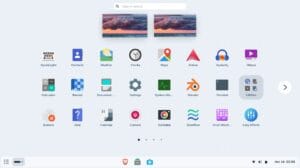
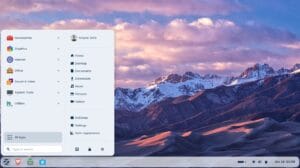
Switch to our affordable, easy-to-use Privacy Laptops powered by Zorin OS Pro – a Linux-based operating system specifically designed for Windows and macOS users.
Zorin OS Pro offers zero telemetry (no tracking), is fully open-source, and provides strong security without invasive AI features or constant screenshot captures. Your personal data stays private by default.
Switching to a Privacy Laptop allows you to exit the constant tracking and data harvesting from Microsoft, Apple, and Google.
We purchase new Dell laptops and professionally configure them with Zorin OS Pro. There are no hidden tracking, forced updates, or heavy antivirus requirements – just faster, more secure computing where you own your data.
Why You’ll Love a Privacy Laptop:
Watch this short overview of the Operating System (OS) we use.
Read More: Ditch Windows Nightmares: Why Linux is Your Ultimate Privacy PC.
-> See All FAQs

Yes – every Privacy Laptop arrives with Zorin OS Pro fully loaded and a carefully selected bundle of privacy-focused apps pre-installed and optimised for security, usability, and performance.
These apps enhance your privacy, security, and anonymity while providing a familiar and productive experience for users switching from Windows or macOS.
Pre-Installed App Categories
Productivity and Office Suite
Creative and Media Suite
Zorin OS Pro includes a professional-grade creative suite (valued at over $5,000 in equivalent proprietary software), all pre-installed and optimised for your hardware.
Utilities and Connectivity
These handle everyday tasks securely, with Zorin OS Pro’s lightweight design ensuring 5-10s boot times and extended battery life.
Proton Ecosystem
As official partners with Proton, we pre-install their suite of Swiss-encrypted, zero-access, no-logs apps:
Other Bundled Privacy Apps
We vet and pre-install other Bundled Apps for you to build digital resilience with privacy, security, and anonymity. This includes:
Why We Pre-Install These Apps
We carefully vet and configure every app so your laptop arrives ready to use with maximum privacy and minimal setup. This saves you significant time and helps you avoid the common pitfalls of DIY configurations.
-> See All FAQs
PrivacyPros uses rigorously tested, brand-new Dell laptops sourced from official Australian suppliers. We currently offer two excellent models:
Why These Dell Models?
We chose these specific laptops because they deliver outstanding compatibility, performance, and value for privacy-focused users:

What to Expect from Your Privacy Laptop
Transform Your Laptop into a Desktop Setup
Ready for secure, private, and user-friendly computing?
-> See All FAQs
Our Privacy Laptops are powered by Zorin OS Pro – a secure, user-friendly Linux operating system specifically designed for privacy and ease of use.

If you’re not familiar with technical terms, think of the operating system (OS) as the “brain” of your laptop. It controls everything from opening apps and connecting to the internet to managing your files and security.
Zorin OS Pro is the premium version of Zorin OS (normally ~$80), and we include it at no extra cost to give you the best possible experience.
Why Zorin OS Pro?
Zorin OS is built on Linux, a free and open-source operating system trusted worldwide for its stability and security. Unlike Windows or macOS (which are closed-source, meaning only the company can see and modify the code), Zorin’s code is open for anyone to inspect and audit. This transparency helps quickly identify and fix security issues and ensures there are no hidden backdoors or invasive tracking.
Here’s why Zorin OS Pro stands out – especially if you’re switching from Windows:
New to Linux? No Problem.
Linux is generally more secure than Windows (far fewer viruses target it) and runs smoothly on our hardware. We’ve extensively tested Zorin OS Pro to ensure excellent compatibility with common apps and peripherals.
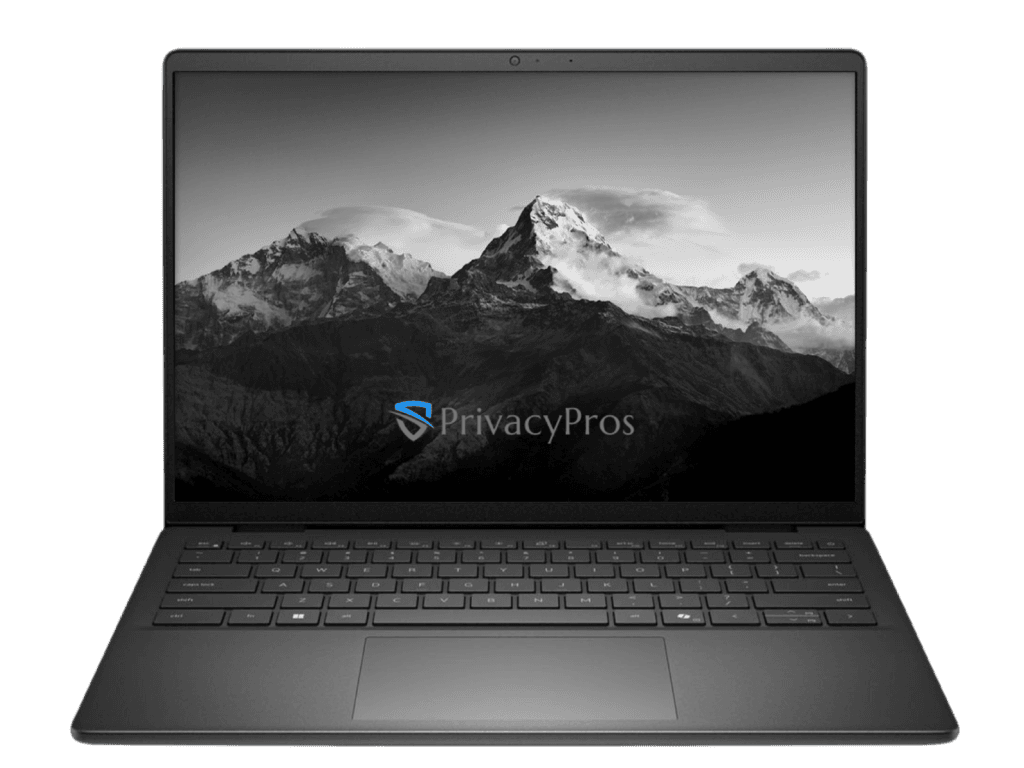
Switching to a privacy-focused operating system is one of the smartest steps you can take toward reclaiming control of your digital life.
-> See All FAQs
Yes – but our model focuses on self-reliance and long-term digital resilience rather than unlimited one-on-one support.
Unlike many transaction-focused sellers, we are genuinely invested in your privacy journey. That’s why we provide high-quality resources designed to help you succeed independently.
Every Privacy Laptop comes with a comprehensive Quick Start Guide (QSG) to get you up and running quickly with the basics. This includes curated learning resources, video links, and practical guidance. The QSG is carefully created to give you the basics that you need without creating dependency on constant external help.
Ongoing or Advanced Support
Because we are a small, mission-driven team focused on keeping prices as accessible as possible, we do not offer unlimited one-on-one support after purchase.
For more personalised help with advanced configurations or ongoing privacy strategy, we offer dedicated consultation services.
For everything else, the following resources are the fastest and most effective:
Our Philosophy
We believe the best long-term privacy and computing experience comes from empowering users with excellent tools and clear guidance – rather than ongoing support tickets. Our goal is to set you up for success from day one with a system that is stable, private, and easy to maintain.
-> See All FAQs
Our policies are designed with transparency and full compliance with Australian Consumer Law (ACL).
Warranty
All Privacy Laptops come with a 12-month Basic Onsite Service warranty.
We only purchase brand-new Dell laptops through official Australian distribution channels.
What the warranty covers:
What the warranty does NOT cover:
How to make a warranty claim:
Contact us via our contact form with the inquiry type ‘Warranty, Returns & Cancellations’. After we verify your order, we will provide return instructions (including original packaging and proof of purchase). Return postage and handling fees are at your expense. We will then liaise with the supplier and advise you of repair, replacement, or other options.
Returns
Because our Privacy Laptops are custom-hardened privacy devices, returns are handled in accordance with Australian Consumer Law for non-standard goods. Remedies focus on faults or defects, not change of mind.
We clearly disclose this policy upfront. We are unable to accept returns for change of mind.
Cancellations
Sales are generally considered final once an order is placed, as we begin sourcing and configuring devices shortly after purchase.
However, we aim to be flexible and ethical:
To request a cancellation, contact us via our contact form with the inquiry type ‘Warranty, Returns & Cancellations’.